
Breakable Board
Print Profile(2)


Description
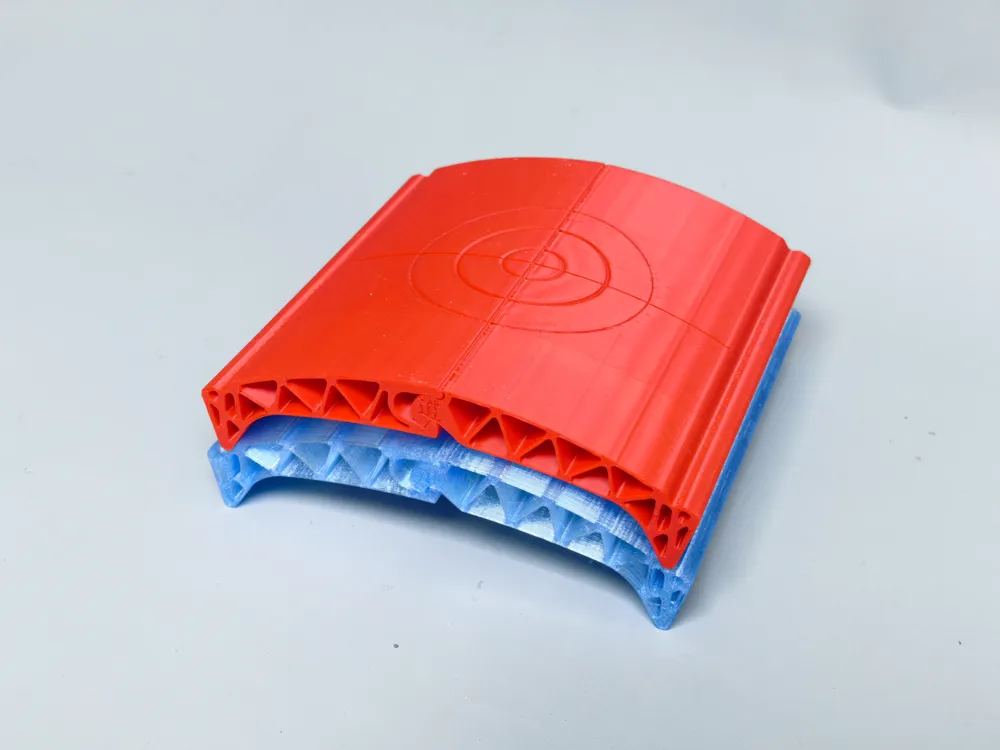
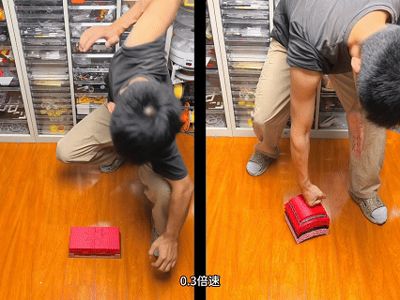
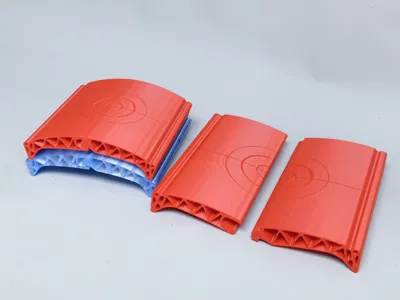
Reusable Breakable Tile

Demonstration video👇
Junior Version
Projection size: 128mm*128mm
Break force: PLA Basic material, 25kg; PETG Translucent material, 15kg
Corresponding age: 5 years old
Intermediate Version
Projection size: 160mm*160mm
Break force: Bambu Lab PLA Basic material, 48kg; PLA Matte material, 15kg (will crack along layers when hit hard); Bambu Lab PETG HF, PETG Translucent (will shatter when hit hard); Dajian PETG HF, 33.1kg (passed 50 impact tests. However, this material is difficult to print; nozzle temperature must be raised to 245 degrees, first layer speed reduced to 30, and all other speeds to below 200 for successful printing.); RMERME PLA matte is not suitable (breaks with one hit)
Corresponding age: 10 years old
Advanced Version: the brick in the GIF👇
https://makerworld.com.cn/zh/models/1633544-yi-de-fu-ren-zhuan#profileId-1789288
Notes
1 Since it needs to withstand strong impacts, do not choose brittle or fragile materials. Currently, what I've tested: Bambu Lab's PLA Matte, PETG HF, and PETG Translucent will shatter when used for the intermediate version. They didn't break when used for the junior version (the junior version is thinner, more elastic, and requires less force to break). Silk filament hasn't been tried, but based on experience, it's definitely not strong. (As I gather reliable feedback, or manufacturers send me materials for testing, I will update this section)
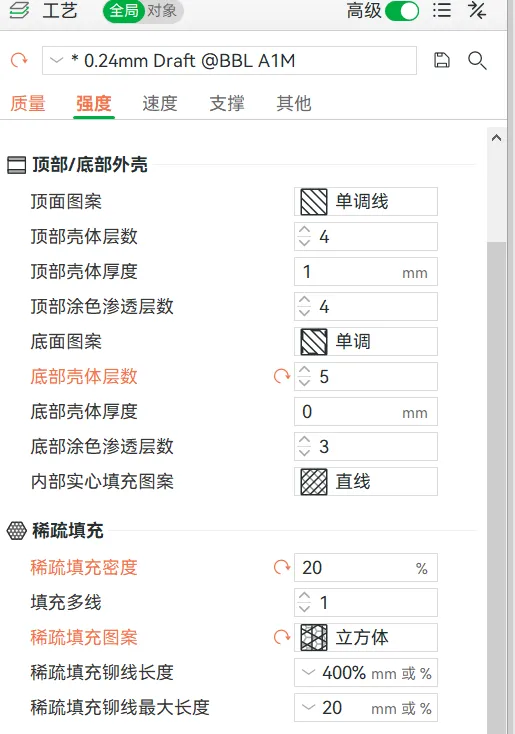
2 The printing parameters in the image below are not recommended to be modified
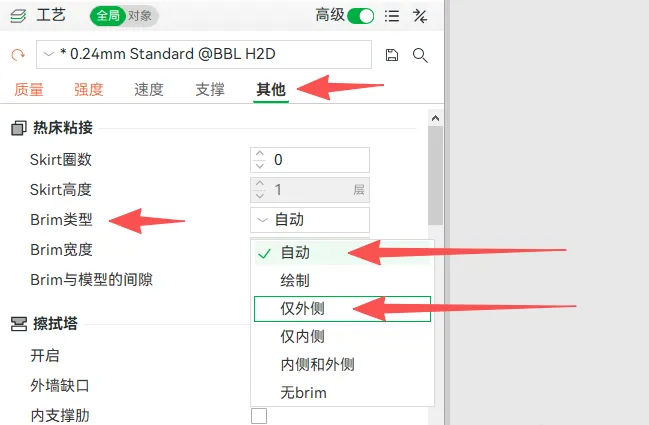
3 Please choose whether to add a brim to prevent spaghetti based on your printer's condition
4 When playing, proceed according to your ability; challenging overly difficult levels will cause your hands to swell (Of course, after recovering from such injuries, you'll become stronger)
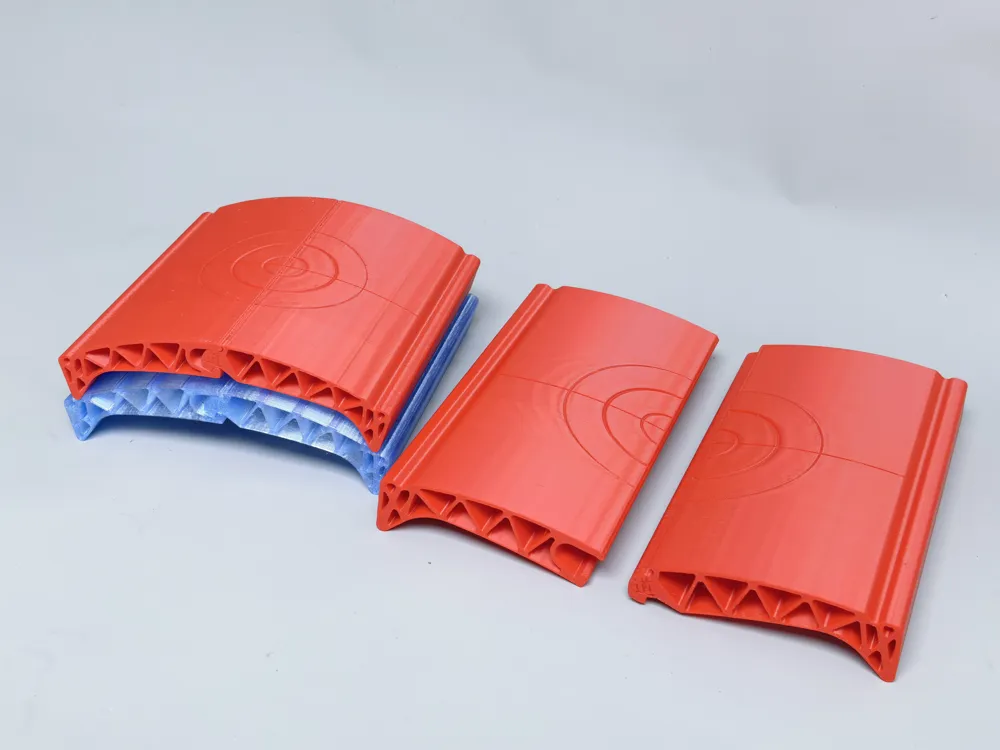
5 If printing multiple pieces, to avoid difficulty in distinguishing left and right modules, there are two solutions
① Use one color for each set of tiles, so you just need to find the same color to assemble them
② Use one color for all "left" sides and another color for the other side, so you just need to find different colors to assemble them
(Thanks to the careful feedback from Bilibili user @CMOU, I was able to remember to add this tip)
Boost Me (for free)
This kind of work, which involves deformation and pushes the limits of material performance, has a design process that is truly time-consuming and material-intensive. I hope fellow enthusiasts can give me a boost to help me recover some costs, thanks
License

You shall not share, sub-license, sell, rent, host, transfer, or distribute in any way the digital or 3D printed versions of this object, nor any other derivative work of this object in its digital or physical format (including - but not limited to - remixes of this object, and hosting on other digital platforms). The objects may not be used without permission in any way whatsoever in which you charge money, or collect fees.


Comment & Rating (7)