
Motion Wave
Print Profile(1)

Description

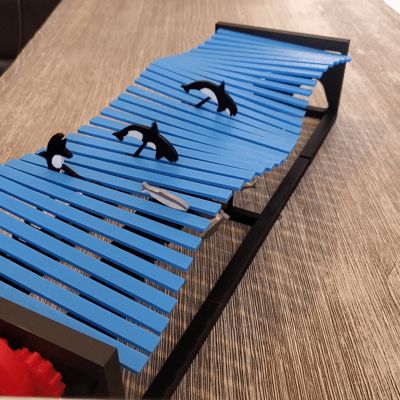
This model was printed on a Bambu Lab P1S using Bambu Lab PLA filament.
General Tips Before You Start:
- Tight Fit Parts: Since the gears and end caps are designed for a tight fit, it’s important to be gentle during assembly to avoid damaging the parts. To insert the gears and end caps, gently wiggle them side to side until they click securely into place.
- Lubrication: A small amount of Vaseline or grease can make the gear and end cap assembly process smoother and prevent parts from sticking or wearing down too quickly
- Check Alignment: The cam sequence must be correct for the mechanism to function properly, so double-check the numbered cams before you proceed with assembly.
Step-by-Step Assembly Breakdown:
1. Base Preparation
- Left and Right Bases: Insert the gears and end caps into both the left and right bases. Be careful here to ensure the parts click into place securely.
2. Cam Drive Shaft Assembly
- Assembly Order: Starting from left to right with cam #1, follow the cam sequence (1–16). This includes sliding each cam, spacer, and water slat onto the drive shaft in the correct order, as shown in the JPG images.
- Cam Orientation: Make sure all the numbered cams are facing the same direction. The alignment of these cams will affect the movement, so consistency is key.
3. Inserting Drive Shafts into the Bases
Once the cams and spacers are assembled on the drive shaft, you’ll insert the completed drive shaft into the left base first, then slide it into the right base.
4. Wide Version (32 Water Slats)
- Center Spacer (Plate #6): Begin by assembling the drive shafts into the center spacer. This spacer will serve as a structural component to help position the cams and water slats properly.
- Assemble the Cams and Slats: You’ll add the cams, spacers, and water slats to each side of the center spacer. Again, keep the cam sequence in mind. The cam numbers should follow the pattern:
- Left to right: cam #1 → cam #16 (on one side)
- Then, cam #1 → cam #16 (on the other side).
- This creates symmetry, especially since there’s a mirrored cam system in play.
5. Attaching the Drive Shaft to the Bases
- Attach to Left Base: Once the drive shaft is fully assembled, attach the drive shaft unit to the left base.
- Attach Right Base: Similarly, attach the right base and connect the rail extensions to link both bases together.
Final Tips:
- Check Movement: After everything is assembled, check for smooth movement of the gears, cams, and water slats. If there’s any resistance or rough movement, it could be due to improper assembly or parts that are too tight. A small application of grease or Vaseline should solve that issue.
- Assembly Image Reference: The JPG images referenced should be very helpful for ensuring that the parts are oriented and assembled correctly. If you run into any issues, those images will clarify what the assembly should look like at each stage.
- Test for Functionality: After assembly, gently rotate the drive shaft to see if everything moves in sync as it should.
Feel free to share any specific concerns or parts of the process you're running into trouble with, and I can dive into more detail!
 Inspiration
This print was inspired by the YouTube video “Kinetic Wave Sculpture” by Ross McSweeney.
Documentation (3)

License

You shall not share, sub-license, sell, rent, host, transfer, or distribute in any way the digital or 3D printed versions of this object, nor any other derivative work of this object in its digital or physical format (including - but not limited to - remixes of this object, and hosting on other digital platforms). The objects may not be used without permission in any way whatsoever in which you charge money, or collect fees.


Comment & Rating (2)