Search models, users, collections, and posts

Axe Display
IP Report
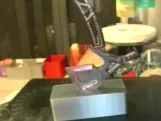
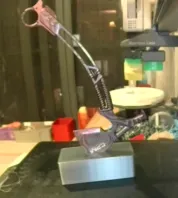
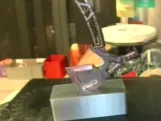
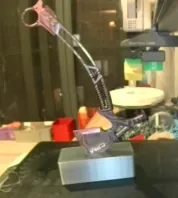
Print Profile(1)

0.2mm layer, 2 walls, 15% infill
Designer
49 min
1 plate
Open in Bambu Studio
Boost
1
1
0
0
0
0
Released
Description
Content has been automatically translated.
I purchased a Dark Zone axe (melee weapon) online and lacked a suitable display. I offer this solution (those with modeling skills can adapt it to their preferred style):
0, Adjust the negative part according to your axe's dimensions (reduce width by approximately 1mm)
and print
1, Remove the model from the build plate after printing
2, Heat the bed to 100°C (80°C for A1 MINI)
3, Place the perforated side down on the bed for 30 seconds
4, Insert the axe (or other item) upside down, firmly!
5, Wait 1 minute
Recommendation: Use PLA filament! PETG may spring back!
Boost Me (for free)
License

This user content is licensed under a
Creative Commons Attribution-Noncommercial-Share Alike


Comment & Rating (0)