Search models, users, collections, and posts
Recommendation
Creator’s Club
Creators & Fans
Show Your Make
Off Topic
Post Details
Master Your Printer with Bambu Lab Academy

If you’re new to 3D printing, you’ve probably run into questions like:

  • What should I set up right after powering on?
  • How do I load filament?
  • How do I understand slicing settings?
  • What should I check if a print fails?

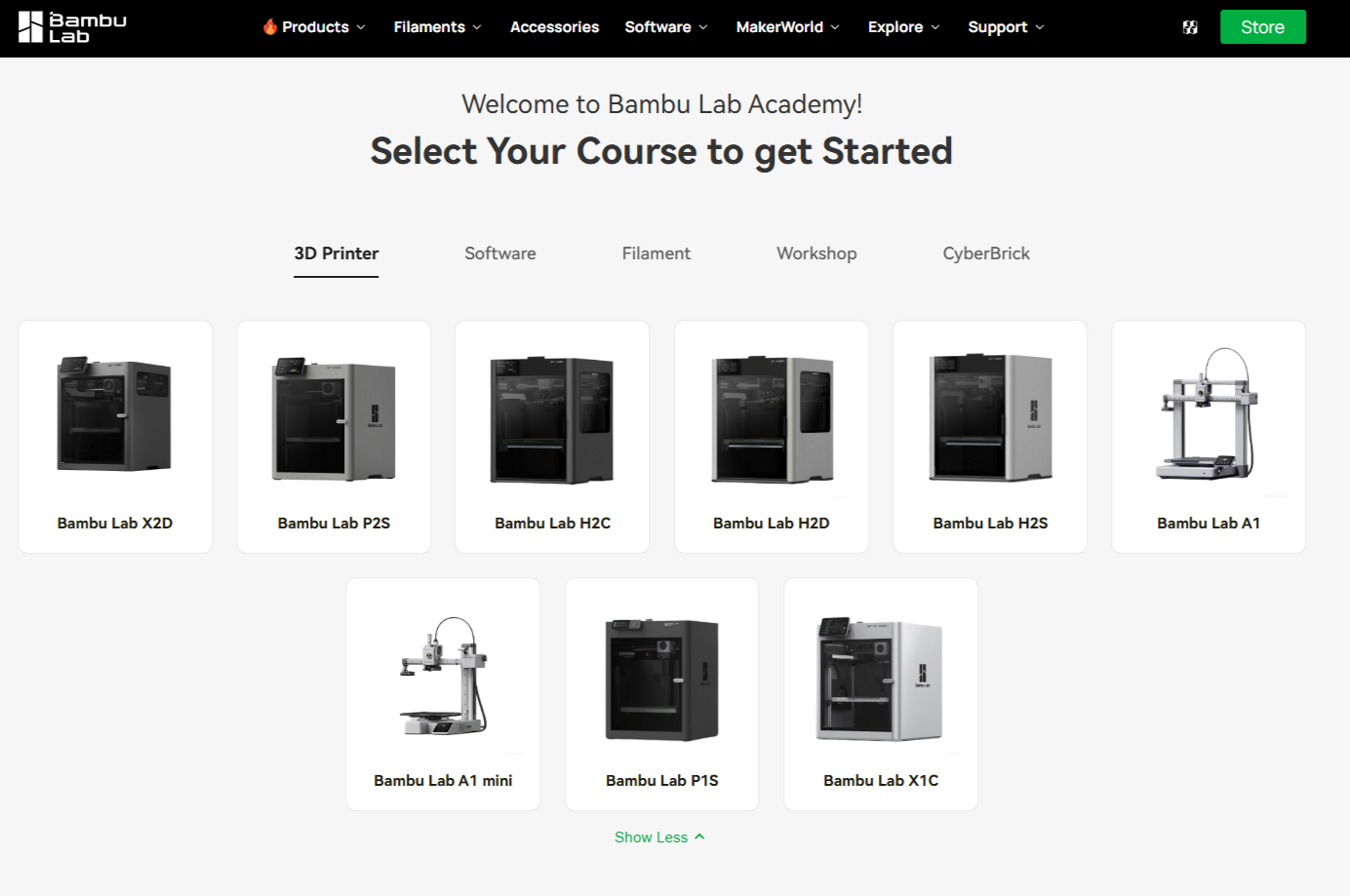
To help you start printing with confidence and improve your print success rate, we’ve made the Bambu Lab Academy. Every model has its own dedicated Academy Course, so beginners can follow a structured, step-by-step path from the basics.

What You’ll Learn

Bambu Lab Academy typically covers:

  1. First Print & Beginner Basics
  2. Filament Overview & Hands-on Practice
  3. Software Settings & Practical Tips
  4. Printer Maintenance

Lessons include step-by-step guides and official videos. After completing the course, you get rewarded with a Certificate of Completion and MakerWorld points. You can learn at your own pace and track your progress as you go.

In addition to model-specific courses, Bambu Lab Academy also includes courses related to software, printing materials, and related topics to support continued learning.

Example: X2D

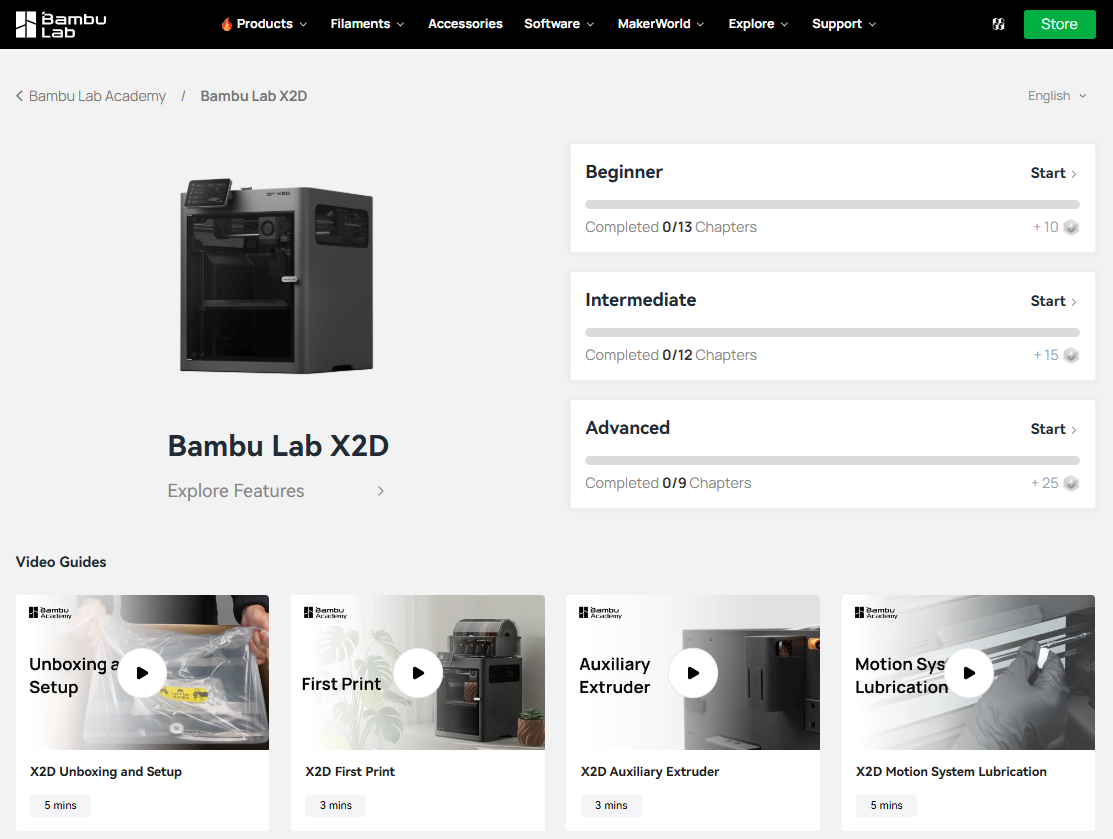
In the Bambu Lab X2D Academy Course you have access to three levels: Beginner, Intermediate, and Advanced. You can see your progress and rewards at a glance. There’s also a full video playlist for this model, which is especially helpful if you follow it in order.
How to Access Bambu Lab Academy

  • Bambu Handy: Profile → Learn
  • Web: Bambu Lab website → Bambu Lab Academy

Access Bambu Lab Academy by following this link: bambulab.com/academy
 

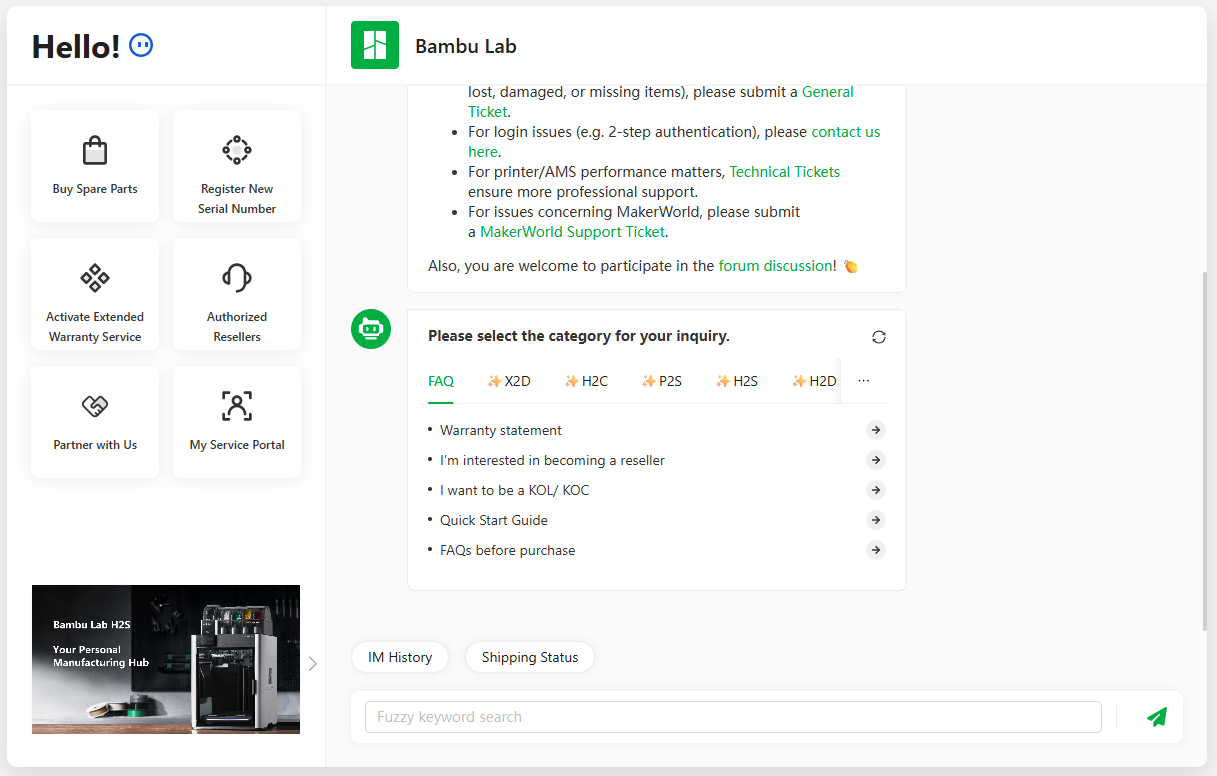
If something still isn’t clear while you’re learning or printing, try Bambu’s AI assistant first. It’s trained on the official Wiki and can answer many common questions quickly. For more details, use the official Bambu Lab Wiki. If you need hands-on support, reach out to Bambu Lab Support or contact online technical support.
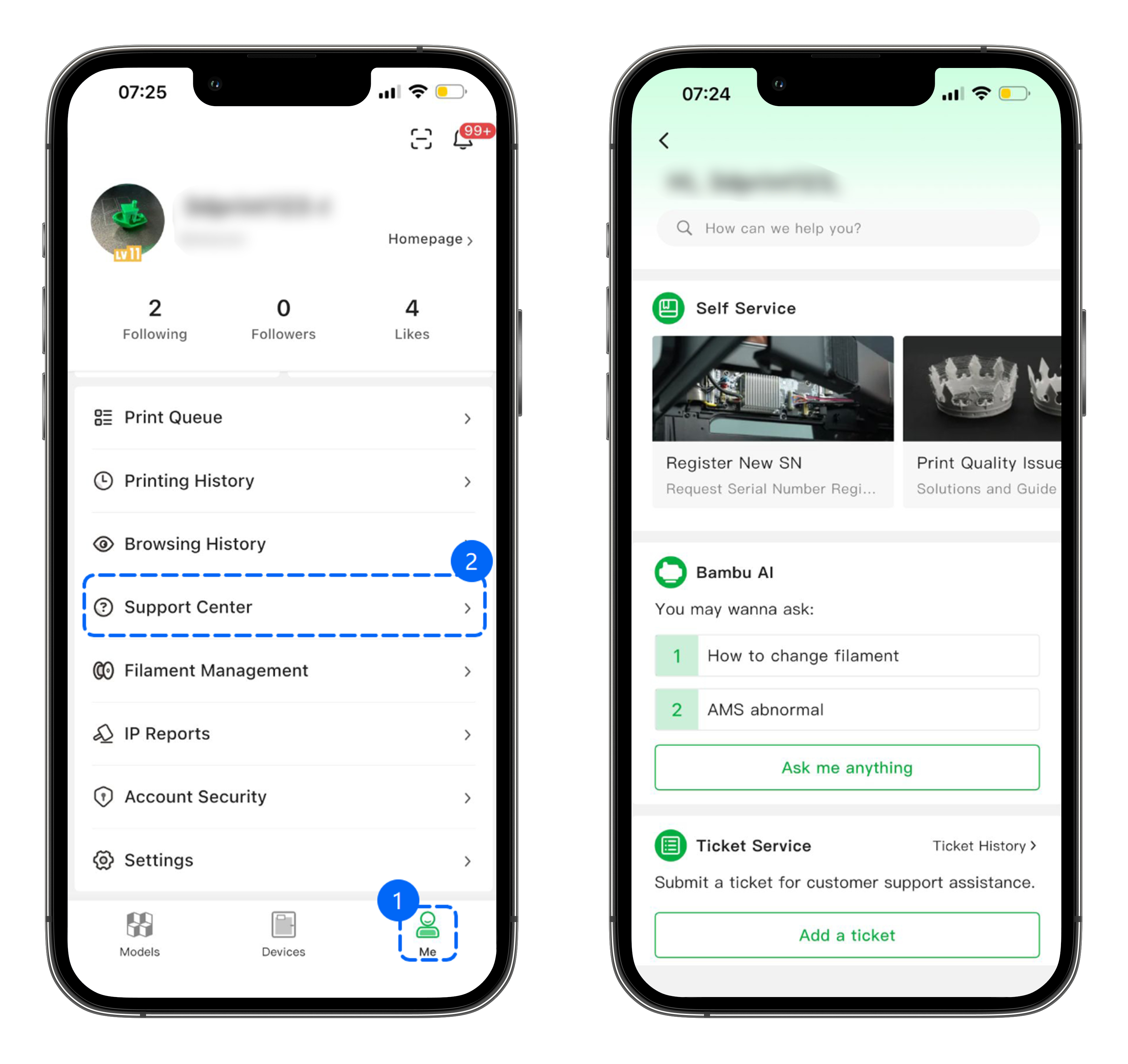
On your phone, open the Bambu Handy app: Profile → Help Center, then use self-service, live chat, or tickets to get support quickly.
 

You are welcome to share your learning experience in the MakerWorld Community so others can join you on their own learning journey.

Wishing you smooth prints and consistently great results every time. ✨

(Edited)
Share
82
24
1
Comment (24)
@Br3n_65432 You get a certificate!?!?
3
Reply
@LeafCreates @myrkob : That is pretty much correct. The format options are PNG, PDF, or 3mf. You can then export the STL model files from the 3mf MakerWorld import. -Leaf
1
Reply
@LeafCreates @ItzMpower : You can actually 3d print the certificate! When downloading it, you can choose 3mf, PNG, or PDF format. -Leaf
1
Reply
@catlover12 I did this, and it was very helpful.
poster
2
Reply
@myrkob As a beginner, I took the A1 course. I learned a lot, and right from the start I was able to avoid the usual beginner’s mistakes. I was also able to optimize the settings in BambuLab Studio and had a lot of fun printing from the very beginning. I highly recommend these courses. Plus, you receive a personalized certificate for each course section. Thanks to BambuLab.
The poster has replied
poster
2
Reply
@MakerWorld Thanks so much for sharing! So glad the A1 course helped you skip some of those early beginner mistakes and get started more easily. Really great to hear you’ve been having fun printing from the start!
1
Reply
@LittleGuyModels Bambu Lab = Good 👍
1
Reply
@Sigala3D. Still pretty new to the 3D printing world 😄🖨️ Just finished the X2D Beginner Course on MakerWorld and can’t wait to continue with the other courses ✨
0
Reply
@hazeb3d the academy is great! it would be so cool to 3d print our certificate
0
Reply
@MH4477 there’s an ACADEMY!?
0
Reply
@LeafCreates There sure is! Check it out here. https://bambulab.com/en-us/support/academy -Leaf
0
Reply
@uRafa good
0
Reply
@ApexforgeMotors just bought an A1 2 week ago and this is been very usefull for me to upgrade the print quality such as helping me every little trick to improve prints and I am very happy of what I learn
0
Reply
@ur_friend Ai hand 😭
0
Reply
@ur_friend @potato_2014 : yeah lol
0
Reply
@potato_2014 i think it matches bambu ok
0
Reply
Trend
PrintClinic
1
the Great Benchy Nations
1.8 k
2
Questions
1.2 k
3
Newmodel
1.1 k
4
Contests
711
5
ChildrensToys
632
6
Sharing Makes
575
7
Thebreachcontest
480
8
Comingsoon
440
9
Theunitedbenchyarmy
310