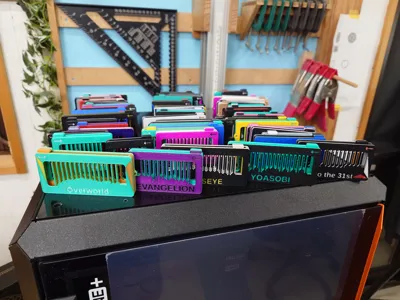
I have long thought about writing something about the musical fidget—not necessarily as inspiration for other designers, but because it has been a genuinely unique experience. I have no formal training in CAD and know very little about music, but I suspect my previous career as a scientist taught me problem-solving skills that I now rely on heavily when designing.
The Idea
It all started with me exploring different kinds of designs. Until then, I had mainly focused on articulated animals, but at some point I thought: fidgets are popular—I should make one.
After a few days of brainstorming, deliberately trying to think outside the box and discussing ideas with my kids, I came up with the concept of a sliding mechanism that would create a sound. I immediately liked the idea because it combined two features in a single fidget and felt genuinely novel.
First Design — and a Stroke of Luck
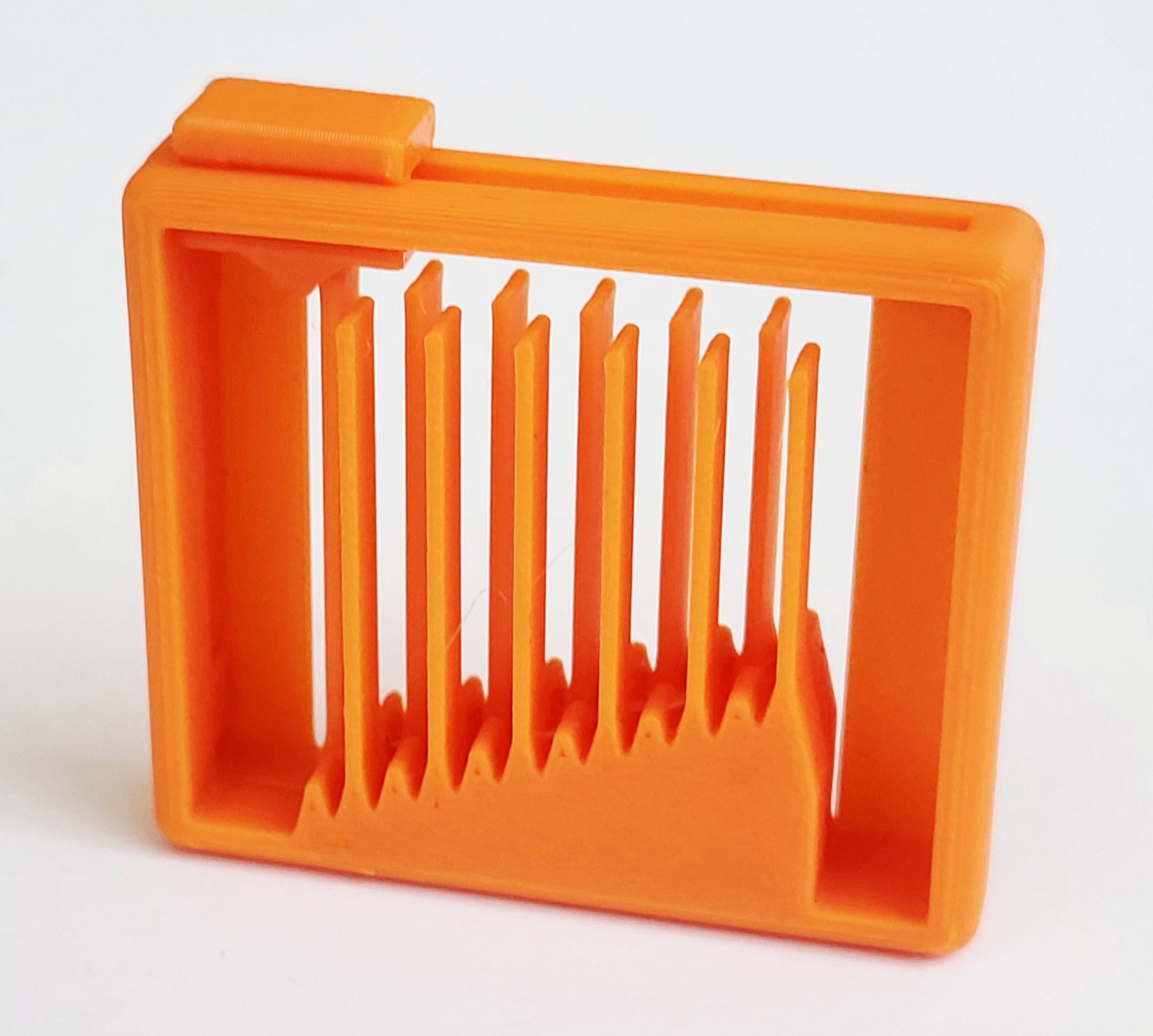
The very first iteration of the musical fidget is now lost, but it looked remarkably similar to the final product. My only goal was for the fidget to play notes of increasing pitch as the slider moved.
During this first version, I realized that there needed to be a significant distance between the note bars to prevent them from touching each other while vibrating. In the image below, you can see version 2, where I removed every second bar to solve this issue.
Early on, I also realized I had no idea which note lengths would produce good sounds. To experiment, I created a “note modulator” block in TinkerCAD (where the entire first model was made). This block could be imported into Bambu Studio, where I could easily change its length—shortening or lengthening the note bars indirectly. The idea was simply to allow fast iteration between test prints. At the time, I had no idea how powerful this setup would eventually become.
I published the model with low expectations, but it was surprisingly well received, reaching around 3k downloads in the first week.
Making the First Melody
After this initial success, I started wondering whether it would be possible to make an actual melody. Given the variation between filaments and printers, it wasn’t obvious to me that this would work at all.
The original fidget had only 12 notes, which limited the choice of melodies, but I quickly realized that Old MacDonald and Happy Birthday were good candidates.
To make these melodies, I gathered all the test prints of the fidget I had. By placing them next to each other and manually playing the bars, I searched for combinations that sounded right. Once I found a note that worked, I could look up its exact length in the slicer.
This process took days. In the end, I test-printed the two melodies, and they sounded close to what I had hoped for. After another four or five test prints with minor adjustments, I was finally happy enough to upload these melodies as print profiles on the musical fidget model page. For me, this was the moment when the musical fidget was truly born.
Systematizing the Process
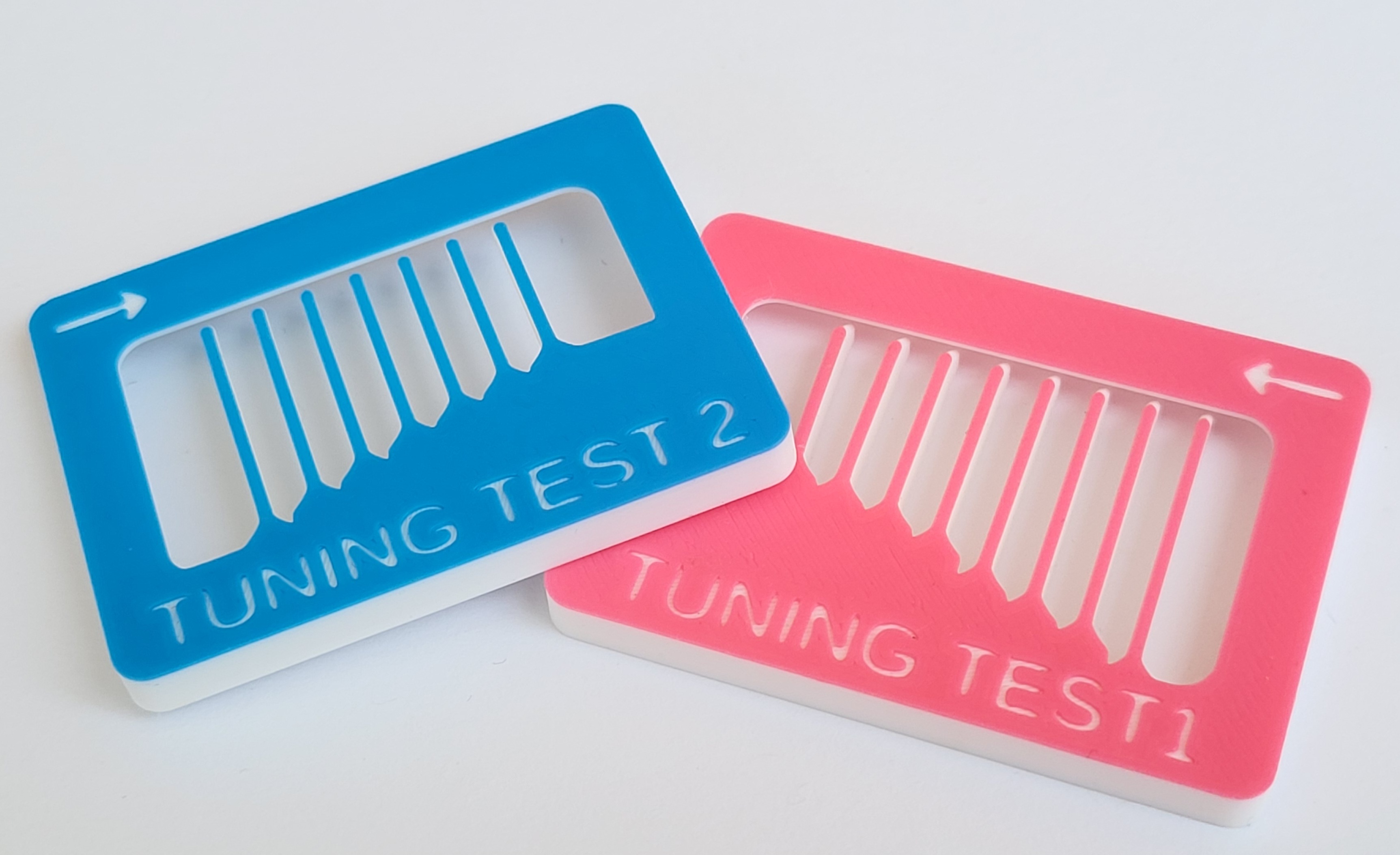
After creating a few more melodies, it became clear that the process needed to be streamlined. I began systematically mapping note lengths to musical notes by printing fidgets with note lengths increased in 0.05 mm steps and measuring the pitch using a guitar tuning app on my phone.
This was an enormous amount of work, but in the end it resulted in a reliable, repeatable process for creating any melody within the physical limits of the fidget design.
I added all this information to the model page and published a video explaining how anyone could create their own melody by simply adjusting the length of the note-modulating blocks in the slicer. While still time-consuming, I could now create a new melody in about 30 minutes.
I later uploaded the first Christmas edition of the fidget, which was well received, and followed up with adding multiple size variants over the following months allowing for different melody lengths.
Releasing the Video Game Edition
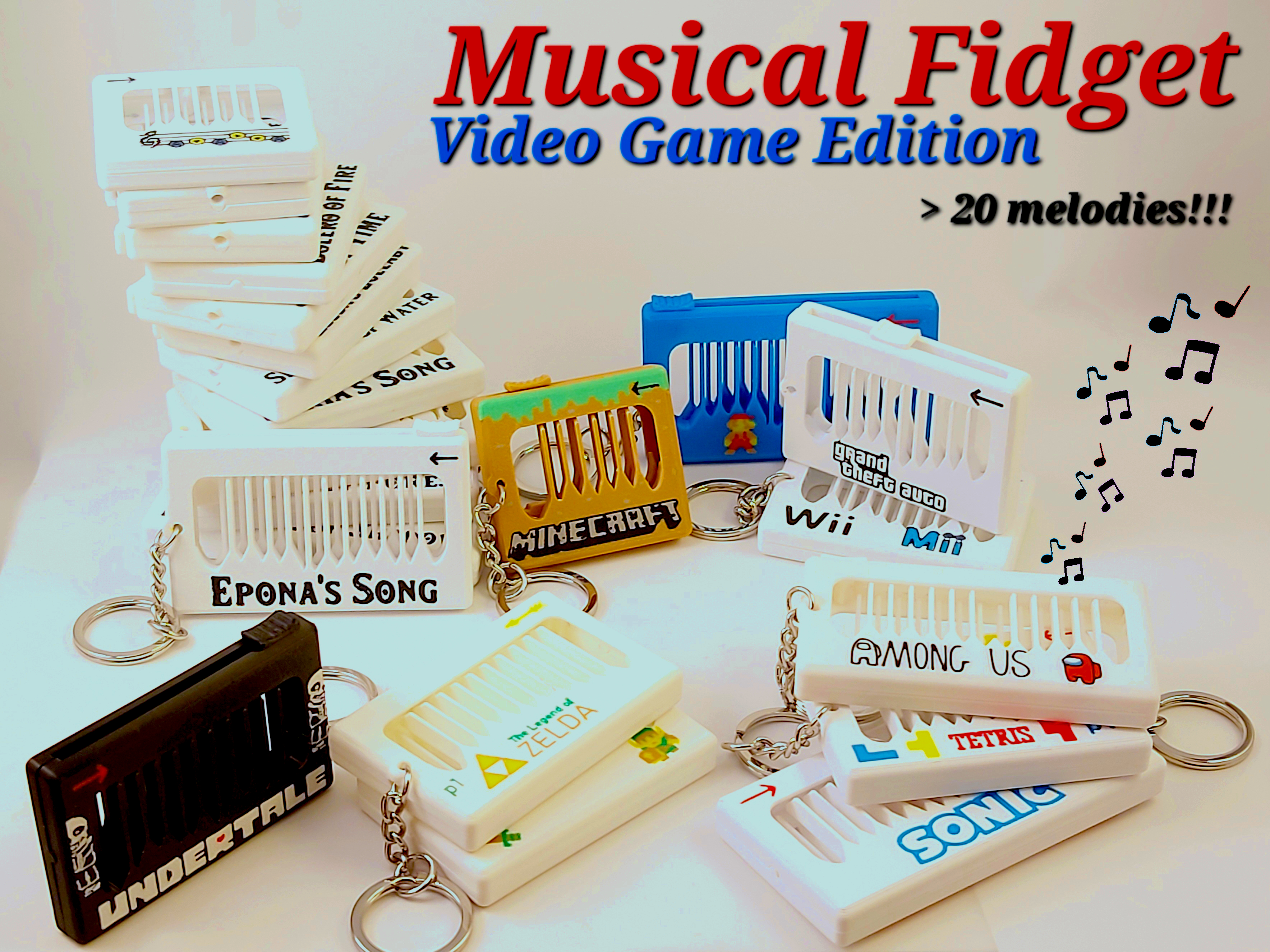
After the success of both the original musical fidget and the Christmas edition, I set out to create a new model focused entirely on video game melodies. I spent several months building a strong collection of melodies, aiming to release something impressive from day one.
This effort paid off. Musical Fidget – Video Game Edition climbed to the #2 spot on the MakerWorld trending list. It was clearly on its way to #1 when it mysteriously disappeared from the list for 24 hours, only to reappear later in a lower position. My download statistics—from 800 downloads on day two to a sudden drop (100 downloads day 3) followed by a recovery day 4—clearly showed how critical exposure on MakerWorld really is.
Going Viral
While some creators had already posted short videos featuring the musical fidget (I was especially proud when Bambam Design uploaded this), things escalated quickly after that. Stan3D released a video that has now gained over 50M views on Instagram and almost 30M views on YouTube.
Almost overnight, downloads surged to levels I had never seen before. That video clearly inspired others, and from that point on, nearly every new musical fidget release ended up featured in social media videos. Over the past year, I’ve repeatedly noticed sudden spikes in downloads, usually traceable to a new viral video—or even a written article. One notable example was a feature on Hackaday, which had a major impact. This virality and exposure has even led to companies contacting me for various reasons, but most notably, other 3D model platforms have been wanting me to upload the model to their website.
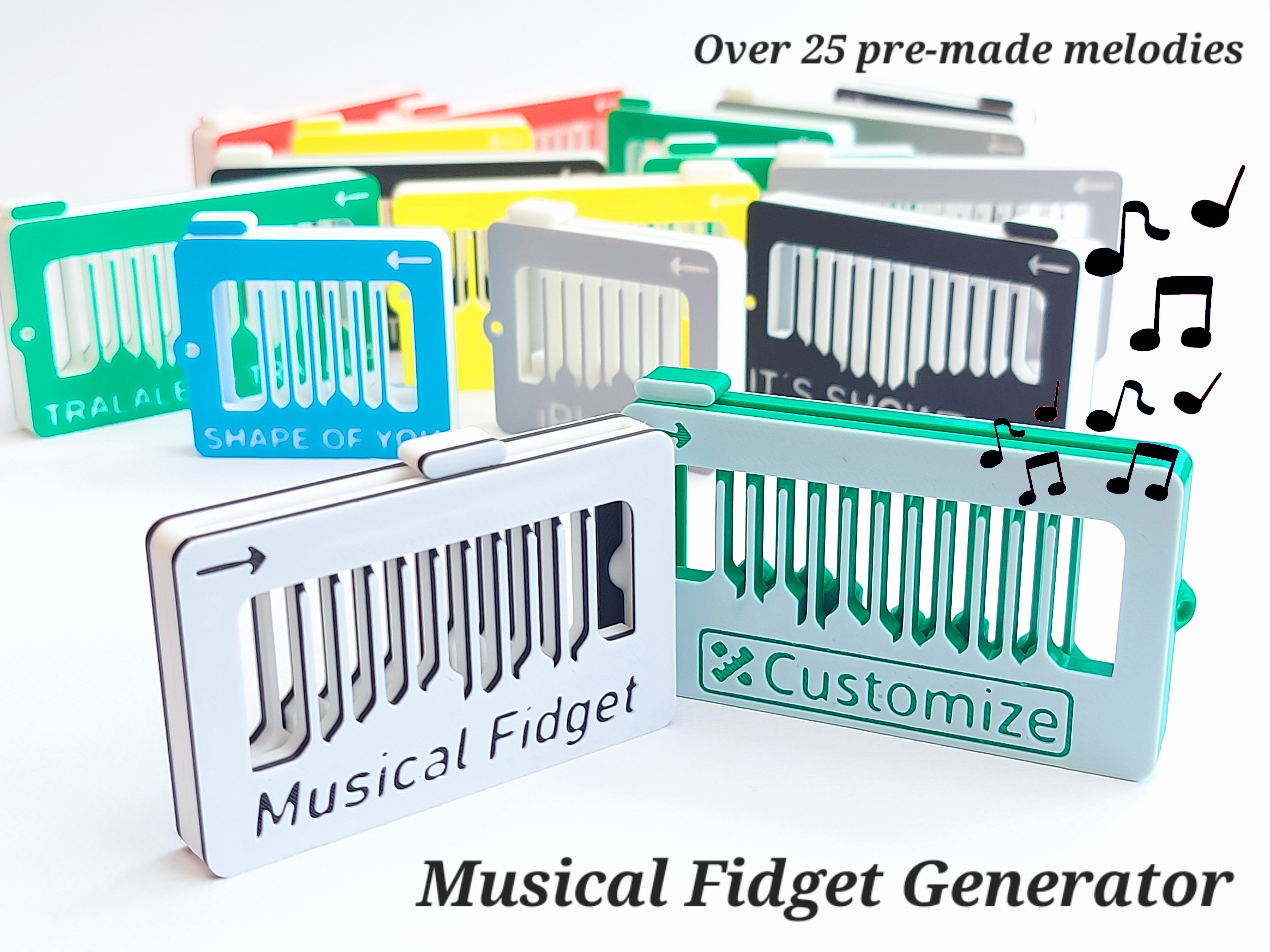
Making the Final Version: The Musical Fidget Generator
From the moment I created the first real melody, the obvious next step was to build an OpenSCAD version of the musical fidget—one where users could simply input notes and generate a custom fidget. The only problem was that I had no idea how to use OpenSCAD.
After unsuccessfully reaching out to other creators, I decided to just learn it myself. Over the course of a full week—working evenings and nights—I managed to put together a functioning OpenSCAD model through a process I can best describe as shouting at and arguing with ChatGPT. The AI did in no way hand me a finished solution; instead, through a frustrating process, I learned enough OpenSCAD to assemble something that actually worked from the code the AI gave me. For this redesign of the musical fidget, I again had to go through the process of tuning for each note.
In the end, this became the Musical Fidget Generator, which is now where all new melodies are published. At this point, I have made over 100 melodies as individual print profiles within this single model.
I am incredibly proud of this project as it allows anyone on the platform to create their own melody with almost no prior knowledge of design or 3D printing. For me, this is the final and definitive version of the musical fidget.
The Value of a 20 g Piece of Plastic
So what are the results? Across MakerWorld, my musical fidgets have together reached 167k downloads and 105k confirmed prints, making them among the most successful models on the platform. For that, I am deeply thankful and proud.
At the same time, those confirmed prints also mean that the world now contains at least 2000 kg of musical fidgets—a thought I’m less enthusiastic about. I personally do not believe this is the best use of a 3D printer, but I accept that the fidget is a fun object that brings joy and showcases the creative possibilities of the technology.
The real value, I assume, is in the fidget’s virality and its ability to inspire people to buy their first printer or join the MakerWorld platform. Looking only at four creators—Stan3D, Mind2Make, DogCatDIY, and TinkerTwist—their YouTube Shorts alone featuring the musical fidget have accumulated over 1.1 billion views (For most viewed videos by these creators, see here, here, here and here). Including hundreds of other creators and over multiple platforms, I am confident that the musical fidget has been easily viewed more than 2 billion times, which is… ridiculous.
Since most of these videos link directly to MakerWorld—and because I’ve kept the musical fidget exclusive to the platform—I’m certain it has created significant monetary value for a platform I love.
Closing Remarks
That’s the story from my point of view. I’m sure I’ve forgotten a few moments along the way, but overall it’s been an incredible ride. I’ll keep adding melodies whenever I feel inspired, but I don’t have any major new plans for this fidget. I’ve learned that I get bored doing the same thing for too long—and I can’t always predict where this hobby will take me next. At the moment I am playing with magnets and have just made my first Planter :).
Thank you to everyone who has downloaded, liked, or even boosted my models, and a special thanks to MakerWorld for providing such an excellent platform.
/kida



 : 素晴らしい記事と私の動画を紹介していただき、ありがとうございます!あなたのミュージカル・フィジェット・ジェネレーターのおかげで、私のチャンネルは大きく変わりました。音楽の経験はなくても、曲作りに挑戦するのは楽しいですし、これまでに100曲以上作りました。
この素晴らしいツールを使って、これからもコンテンツを作り続け、たくさんの日本の曲を世界と共有していきたいと思っています。本当に感謝しています!
: 素晴らしい記事と私の動画を紹介していただき、ありがとうございます!あなたのミュージカル・フィジェット・ジェネレーターのおかげで、私のチャンネルは大きく変わりました。音楽の経験はなくても、曲作りに挑戦するのは楽しいですし、これまでに100曲以上作りました。
この素晴らしいツールを使って、これからもコンテンツを作り続け、たくさんの日本の曲を世界と共有していきたいと思っています。本当に感謝しています!