MakerLab Credits: Complete Guide
This guide walks you through everything about the updated MakerLab Credit rules: how free trials work, what each feature costs, how to buy or exchange Credits, refund details, and answers to common questions.
Curious why we're making these changes? We've shared the full story - our costs, our reasoning, and what stays free - in the community post. We'd really encourage giving it a read; it explains a lot.
We've aimed to make every part of this guide as clear and transparent as possible. If anything's still unclear, we're always happy to help (see the Feedback section at the end).
1. Free Trial Uses
Monthly free Credits are being replaced by account-level free trial uses for specific tools. These don't reset monthly and don't refresh once used up.
Here's what each tool offers:
| Tool | Feature | Free Uses |
|---|---|---|
| PrintU | Generate 2D Images | 3 |
| PrintU | Generate 3D Models | 1 |
| Make My Statue | Generate 3D Models | 1 |
| Image to 3D | Generate 3D Models | 2 |
| Image to Keychain* | AI Templates | 3 |
* Applies only to AI Templates in the Bambu Handy app. Basic Image to Keychain remains free.
A few things to know:
- We may offer extra trial uses through campaigns, tasks, and other activities - check each tool page for the latest.
- When a feature supports both, free trial uses are always applied first. Credits are only used once your trial uses run out.
- Any unused monthly free Credits will be cleared when the new rules take effect. They won't carry over or convert to Points.
2. Credit Costs
For some features, Credits are now used when you start and confirm a generation, rather than on export. The exact cost depends on the tool, model, and generation type, and it's always shown before you generate, so there are no surprises.
| Tool | Feature / Model | Credits per Use |
|---|---|---|
| PrintU | Generate 2D Images | 15 |
| PrintU | Generate 3D Models | 30 |
| Make My Statue | Generate 3D Models | 40 |
| Image to 3D | Tripo AI 3.1 | 24 |
| Image to 3D | Hitem3D 2.1 | 24 |
| Image to 3D | Hunyuan 3D 3.1 | 28 |
| Image to 3D | Meshy 6 | 45 |
| Image to 3D | Rodin Gen-2 | 45 |
| Image to Keychain* | AI Templates | 8 |
* Applies only to AI Templates in the Bambu Handy app. Basic Image to Keychain remains free.
3. Buying Credits Directly
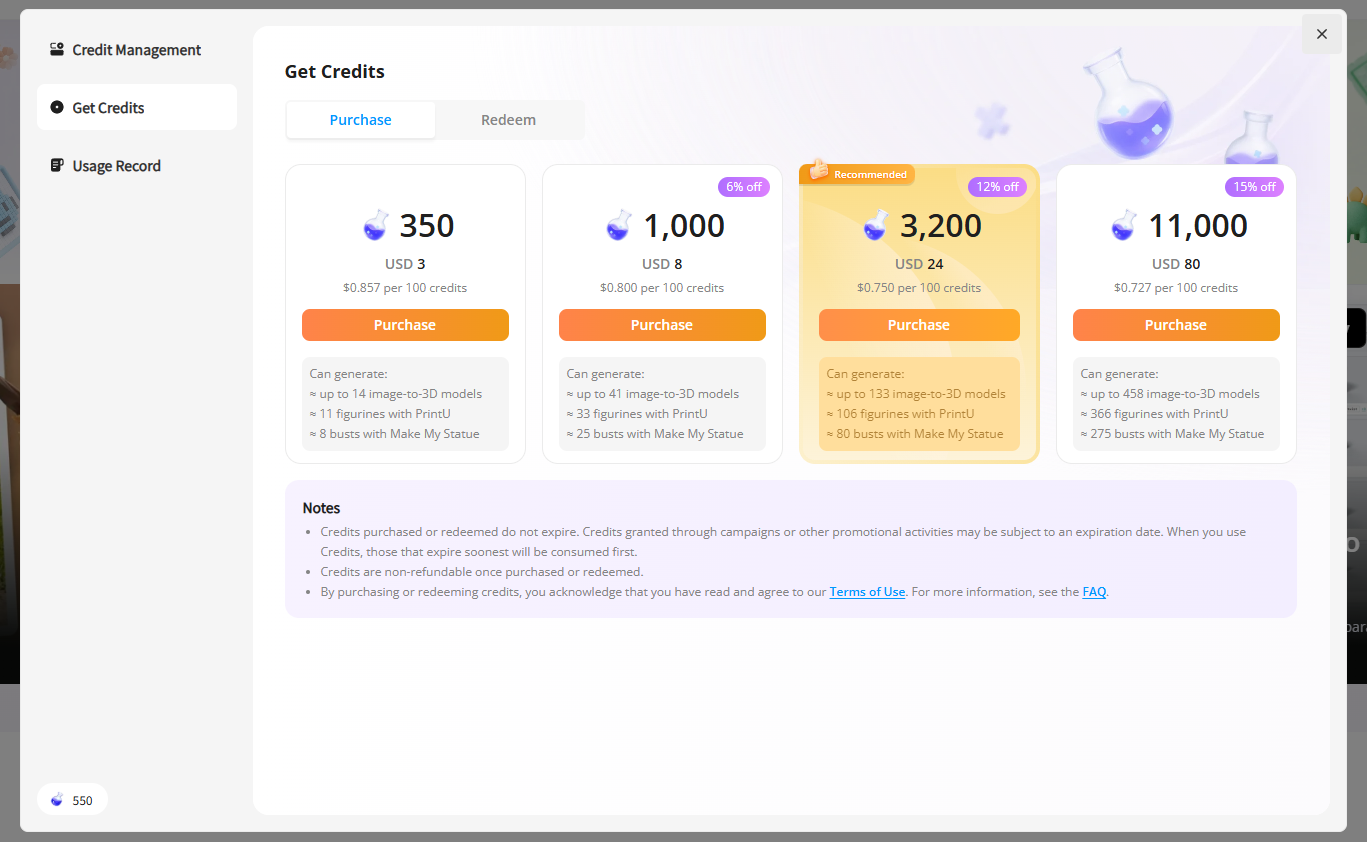
If you use MakerLab often, you can now purchase Credits directly, anytime you need them:
| Price (Pre-Tax) | Credits |
|---|---|
| $3 | 350 |
| $8 | 1,000 |
| $24 | 3,200 |
| $80 | 11,000 |
Purchased Credits never expire and work with any feature that supports Credits.
Prices shown are pre-tax. Your final amount may vary by region, taxes, or promotions, and is always shown before checkout. Credits from different sources may follow different usage rules - check your Credit records and in-product details for specifics.
4. Points -> Credits Exchange
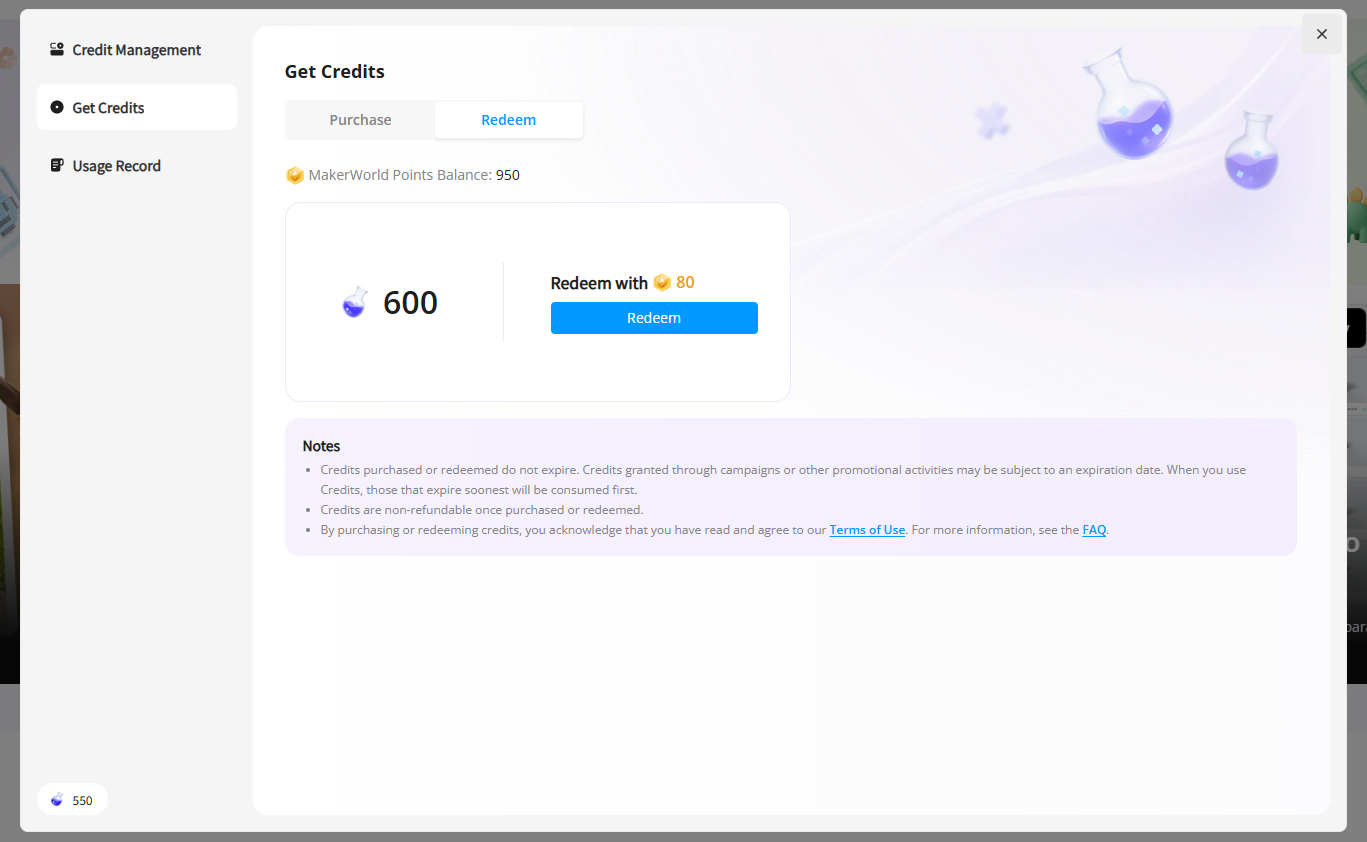
We're also updating how MakerWorld Points convert to Credits. Some older options will be retired, and a new option is added:
80 MakerWorld Points -> 600 MakerLab Credits
These Credits never expire and work with any supported feature.
Going forward, direct purchase will be the main way to get Credits, while Points exchange remains available as a community perk.
5. Refunds for Past Points Exchanges
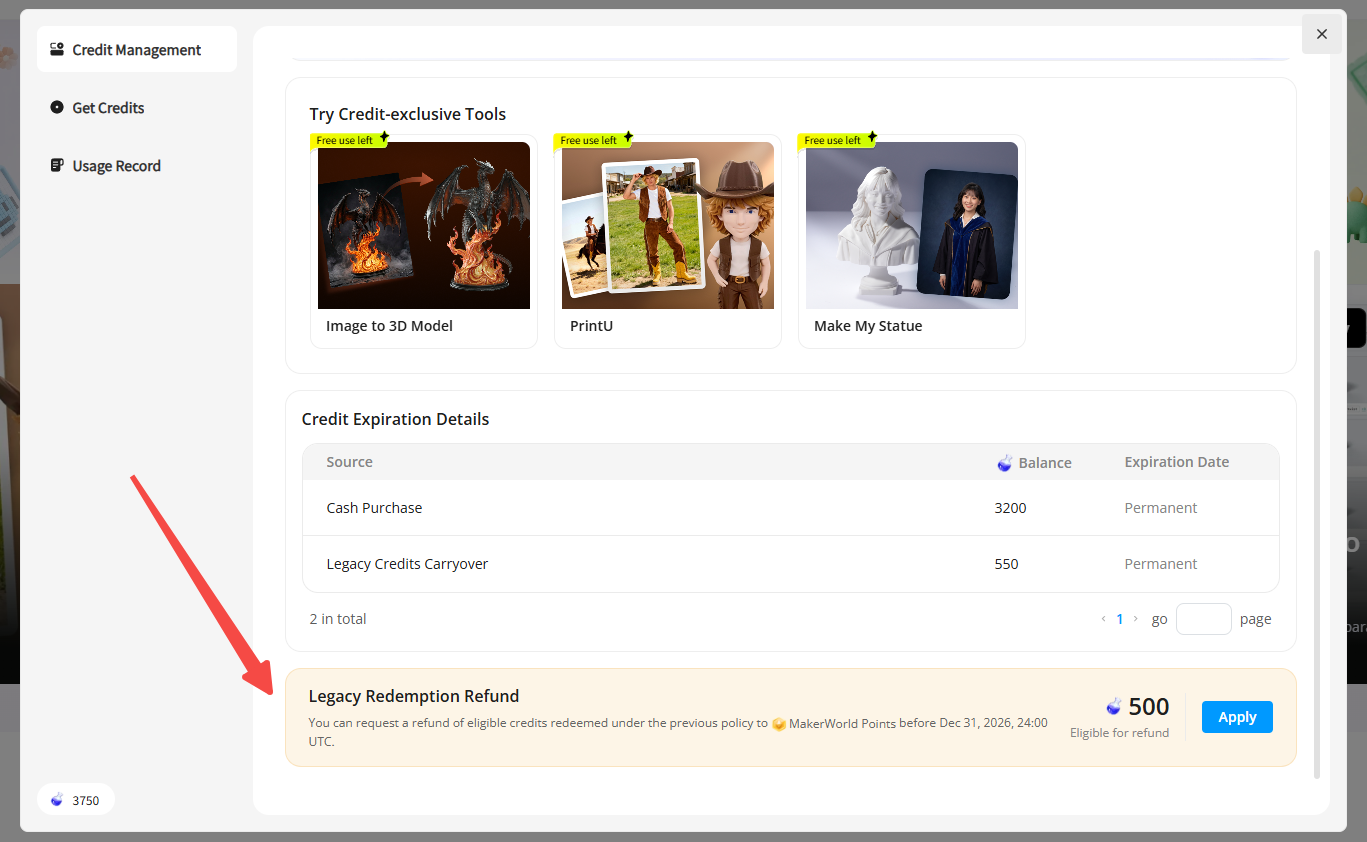
We know the updated Credit costs affect how far your existing Credits go. To be fair to everyone, eligible unused Credits you previously exchanged with Points can be refunded back to Points, based on your exchange history.
How refunds are calculated:
- Based on your historical exchange records.
- Using the original exchange rate at the time - not the new rate.
What's not refundable:
- Credits you've already used
- Credits not obtained through Points exchange
- Free trial uses
- Bonuses from campaigns, compensation, or other special sources
- Credits from the new 80 -> 600 exchange option
Once the refund portal is live, you'll be able to see your refundable Credits, the matching Points, and the final calculation right there.
6. FAQ
1. Is this a price increase?
Yes - we want to be upfront about that. For some generative features, Credit usage will increase notably, so the same balance will cover fewer generations.
This isn't just a change in when Credits are deducted. Previously, these features charged a small amount on export, while the generation itself was nearly free. Now, Credits are used at generation, so the cost reflects the real compute involved. As always, the exact cost is shown before you start.
2. What happens to my existing Credits?
Credits from Points exchange stay in your account and still work with MakerLab features. That said, because of the updated costs, the same balance may cover fewer generations. If your unused exchanged Credits qualify, you can refund them to Points (see Section 5).
Monthly free Credits are handled separately. They'll be cleared when the new rules take effect and won't carry over or convert to Points.
3. Will monthly free Credits continue?
Not in their previous form. Fixed monthly free Credits are being replaced by tool-specific free trial uses. These don't reset monthly or refresh once used up. Check each tool page for counts and details.
4. What's the difference between free trial uses and Credits?
Free trial uses let you try specific features for free, but they aren't a Credit balance. They can't be refunded to Points, withdrawn, or transferred.
Credits, on the other hand, can be purchased or exchanged from Points and work with any supported feature. Credits from different sources may follow different rules; please check your Credit records for details.
5. Can directly purchased Credits be refunded?
Credits are virtual goods credited after purchase. Unless required by applicable law, they can't be refunded, withdrawn, or transferred, whether used or not. Please double-check your package and the Credits you'll receive before buying.
6. What's the difference between purchased Credits and Points-exchanged Credits?
Both are MakerLab Credits. They never expire and work with any supported feature.
The only difference is how you get them: direct purchase is the primary method, while Points exchange is a supplementary community perk. Scope and rules are shown in-product.
7. What exchange rate is used for Points refunds?
Refunds use your actual historical exchange rate - not the new one. The system calculates your refundable Points based on your past exchange batches and usage. Final amounts are shown in the refund portal.
8. Can Credits from the new Points exchange option be refunded?
No. Refunds only apply to eligible unused Credits exchanged with Points before this update. Credits from the new 80 -> 600 option aren't eligible.
9. Will I be charged if a generation fails?
No. If a generation fails due to a system issue, your Credits or free trial uses will be returned. Results are reflected in your in-product records.
10. Does regenerating cost Credits again?
Yes. Each regeneration counts as a new request and uses free trial uses or Credits as shown on the tool page. Please review the cost before confirming.
7. Feedback
Have questions or suggestions about this update? We'd genuinely love to hear from you - please reach out through our ticket system.
We'll keep refining MakerLab's Credit rules based on product improvements, model costs, and your feedback. Any important changes ahead will be shared clearly through announcements, in-product prompts, and other channels.
Thanks for being part of the MakerWorld community.