
Anycubic Kobra 2 Pro Bed Level First Layer Test


Print Profile(2)


Description
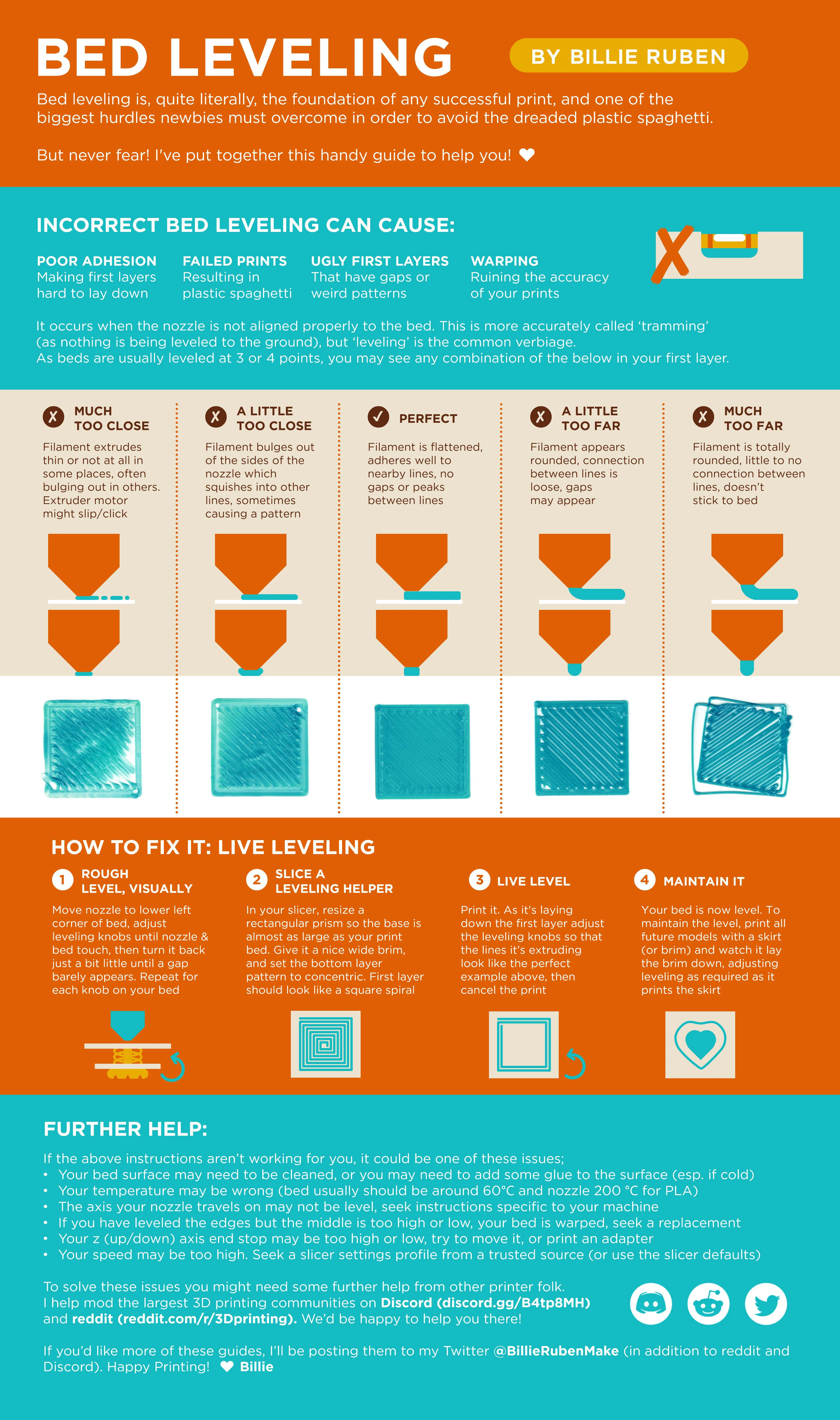
This is to help you get that perfect first layer and determine where you need to make adjustments on your 220x220 bed.
The Model is pre-offset in slicer will print perfectly aligned with 220x220 build plate.
- Run Brim test first to dial in your Z offset. This will save filament and time.
- Open as project for .3mf
- If you have a different version printer and want to run this just select your printer in slicer and filament you want to test it on. And when prompted transfer settings. At the end discard settings.
- Second Pick the model of bed squares your bed is set to in slicer.
- Run this and check for low and high spots in bed. Try to find a happy medium between all square.
- Chasing perfection or extreme case if your bed is too far out and you can't find a happy medium for your first layer you can manually shim the bed.
- The two most popular methods are silicon mod and nylon mod will leave a link at the bottom in reference material to example video.
- Download The Anycubic Dial Indicator Mount and buy a dial caliper to help fix warped bed.
- Without Magnetic Base. https://a.co/d/7TKtYdp
- With Magnetic Base. https://a.co/d/bUdZkjH
Note* Using Bed Squares Models I would start with the Pattern with the least number of squares and work your way up to the other ones.
Simple print for calibrating the first layer and bed leveling. Designed for 0.2 mm first layer but can easily be adapted.
Reference Material:
Brim Test Explanation Video
How to Fine-Tune Z-Offset on a 3D Printer | ANYCUBIC 3D Printing – ANYCUBIC-US
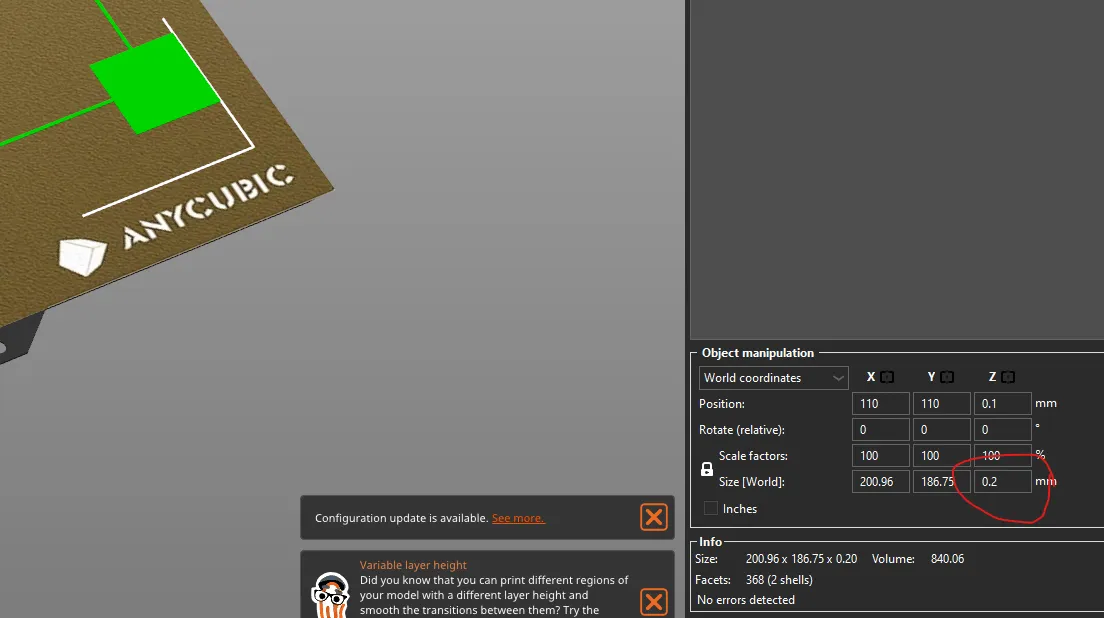
Using Square Models on Printers other than Anycubic
This will work with any 3D Printer other than Anycube Kobra 2s. Just scale to size of your printer. (After scale remember to adjust Z back to .20 if it changed. If you don't unlock it will scale uniformly.)
Silicon Mod Video:
Hack your Prusa - Revisit - Prusa Bed Leveling - Chris's Basement - 2022
Nylock Mod Video:
License

You shall not share, sub-license, sell, rent, host, transfer, or distribute in any way the digital or 3D printed versions of this object, nor any other derivative work of this object in its digital or physical format (including - but not limited to - remixes of this object, and hosting on other digital platforms). The objects may not be used without permission in any way whatsoever in which you charge money, or collect fees.


Comment & Rating (0)