
Prusa mk3 Y axis Adjustable Belt Tensioner and BED Holder with Paralelism and compatible with Mods


Print Profile(3)


Description
Boost Me (for free)
Boosting is Free and helps me a lot ! All My Anime Logos and Designs have STL parts to be used as you need. Please, consider give me a Boost to continue doing more !!!
This version is a remix from the 2019 original from Thingiverse.
https://www.thingiverse.com/thing:2786671/files
I made an effort to upgrade and remix it cause I Think this is easy, and far away, the best Y-Tensioner Mod for prusa. Only one bolt to adjust tension.
See the Complete Install Guide below this info!!!! Dont miss it !!!
Compatible With:
__________________________________
- Prusa Mk3
- Prusa Mk3s
- Prusa Mk3s+
- Other Printers
Upgrades:
__________________________________
- Hex holes are tight, hex nuts dont fall off when you are installing the mod.
- LockNuts dont turn inside the hole when you are aplying tension.
- Block-TNuts and M3 Hex Heads are HIDDEN inside the frame (for better looking)
- New Y_Holder with improved Height and door to assure the Gt2 belt
- Alternative Y_Holder from Jackass Filament (https://www.printables.com/model/205812-prusa-mk3-y-belt-holder-improved-for-gates-belts/files)
- Y-Holder has 48mm width (for compatibility with Mk3S Y-Motor Mount ultra and other mods)
- Mk3 Y Belt Holder inside collection for alternative Y-Holder (print the one you most like)
Original Features:
__________________________________
- The mod has paralelism across all the belt.
- Is easy to print and install
- Can be used with other mods
- Original GT2 Belt can be used
Hardware Needed:
__________________________________
- 2 M3x35mm socket head cap screws (for idler_Frame and Mount)
- 1 M3x30mm socket head cap screws (for tensioner)
- 2 M3x10mm for Y_Holder
- 5 M3 Nylock nut (For idler_Frame and Mount)
- Your Pulley
What files to print?
__________________________________
- 1x Base Holder
- 1x Base_for_your_pulley (GT2, GT16, Prusa Version, etc)
- 1x Y Holder (this version or another)
Compatible Mods
__________________________________
- Y-Axys Motor Mount Ultra (https://www.printables.com/model/57937-mk3s-y-axis-motor-mount-ultra)
- MK3 Y Belt Holder (https://www.printables.com/model/205812-prusa-mk3-y-belt-holder-improved-for-gates-belts/files)
_________________________________________________________________________________
INSTALL MANUAL
_________________________________________________________________________________
1º - Prepare the Base_Holder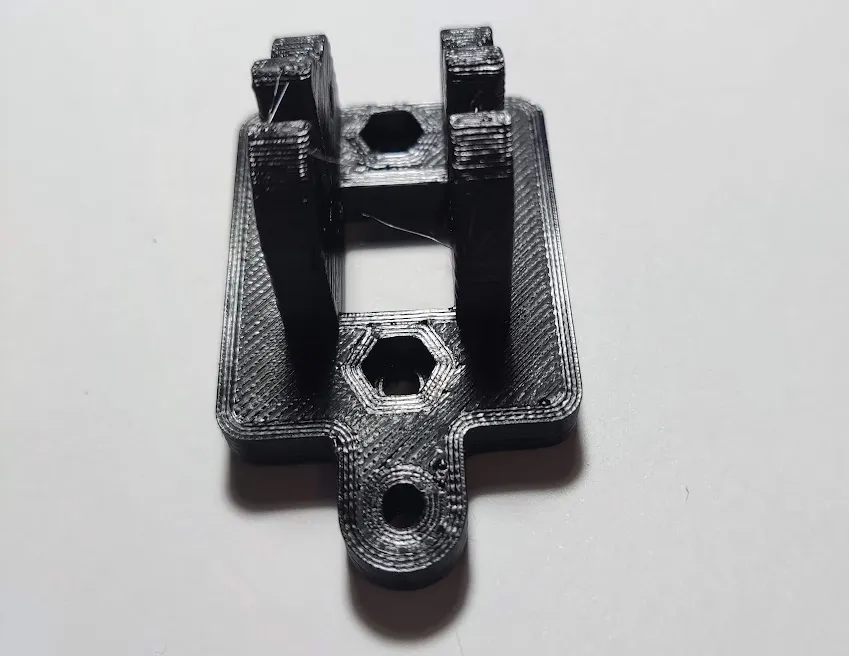
2º - Insert the LockNuts into the Hex Holes. Dont worry if you cant, its thight. Use the Pull method from the Prusa manual and screw them :)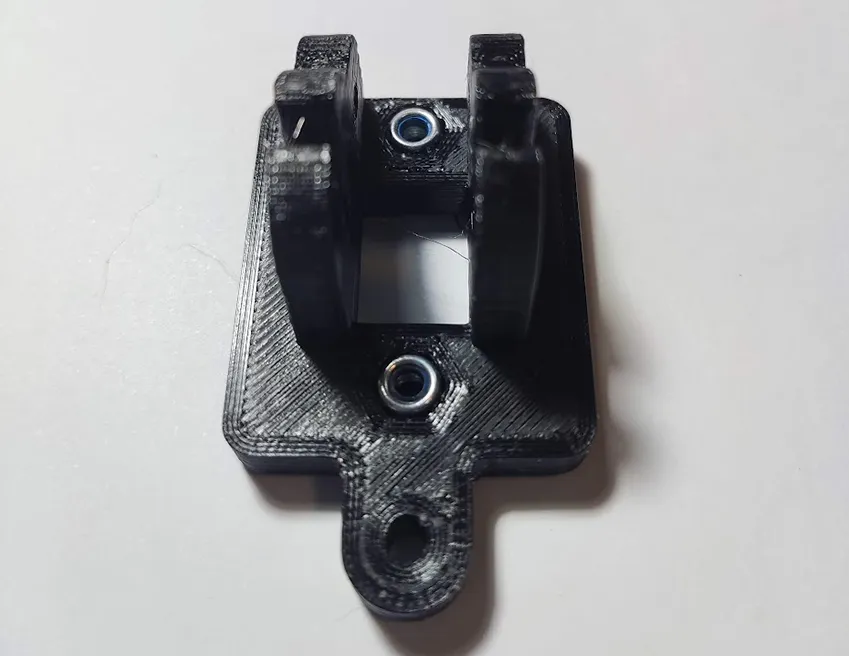
3º - Get the “Base_for_your_pulley” (I choose the Prusa one)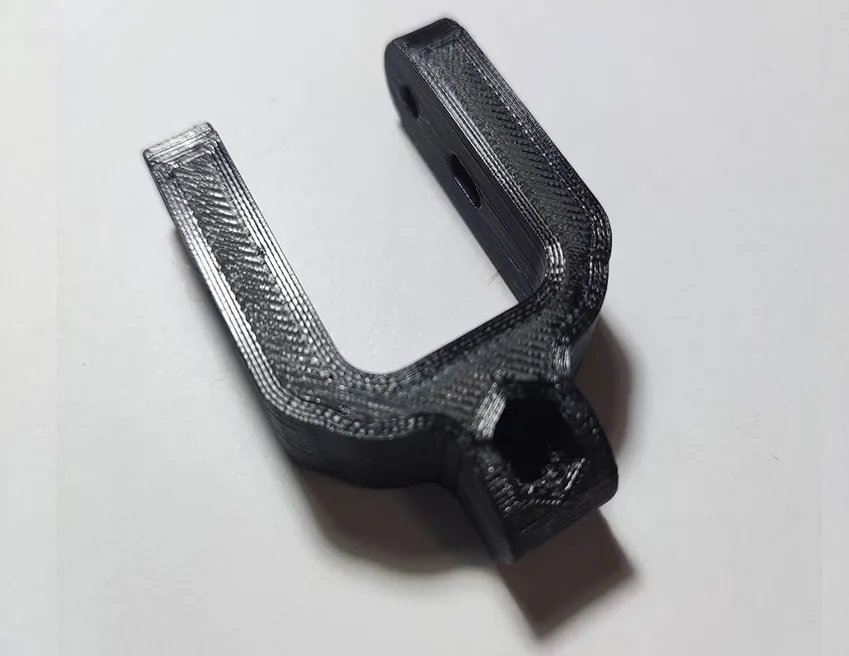
4º - Put It in the Base_Holder. Later will be screwed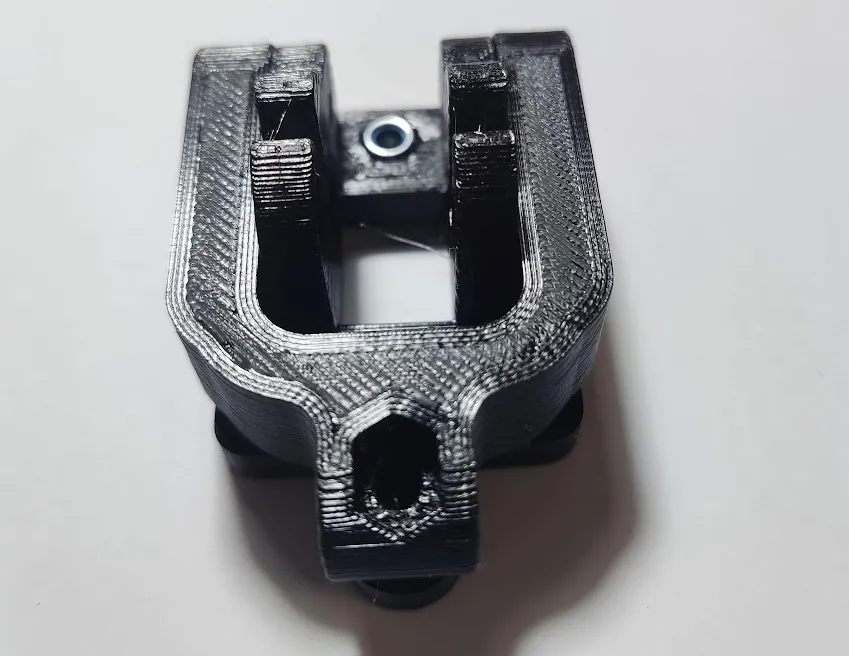
5º - As you can see , the Base_of_Your_pulley has two sides. One with Hex Holes, One with Round holes. 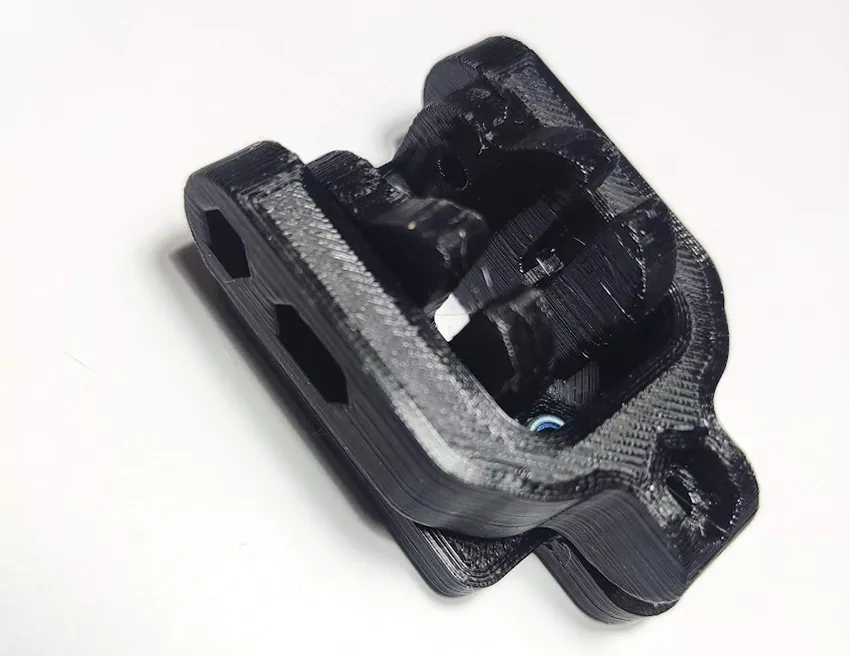
6º - Prepare your Pulley, two M3x35 and Two LockNuts 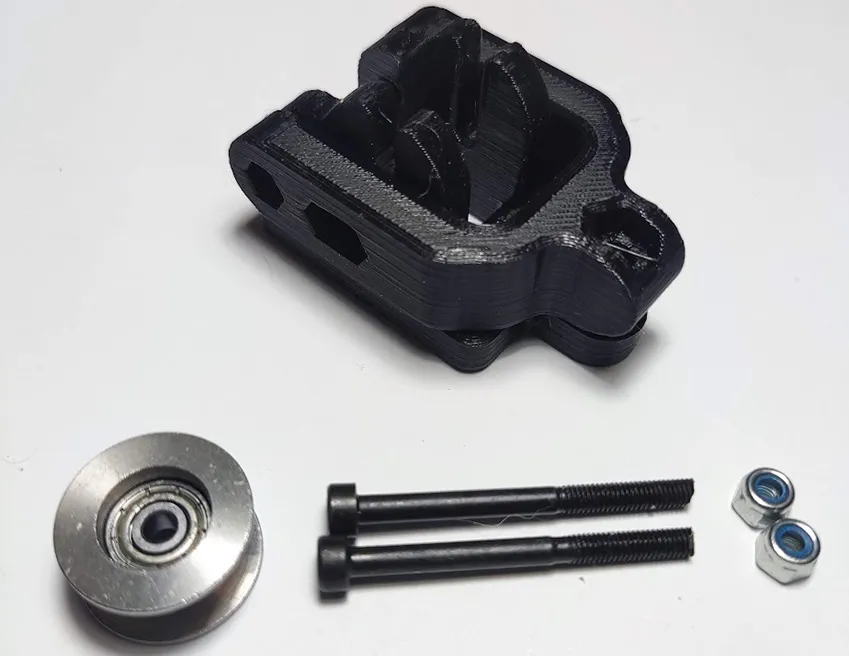
7º - Put the LockNuts in the Hex holes! Now , from the other side, Insert the M3 across the BaseHolder + Base_of_Your_pulley + Your Pulley.
Screw a little , dont be rude. The Y base needs to move freely, and your pulley too!!!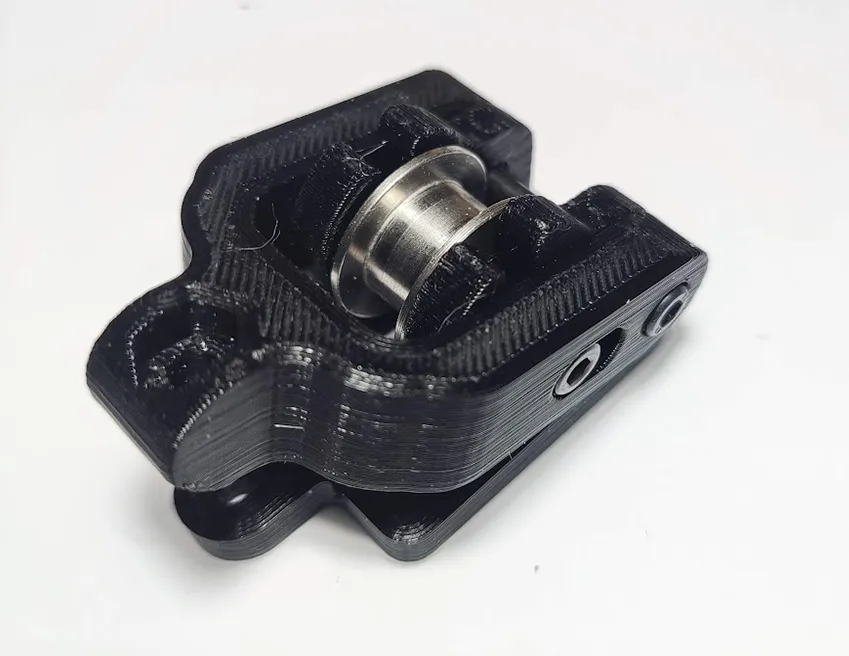
8º - Now Prepare a m3x30 and another Locknut. Put it in the hex hole. Screw from behind.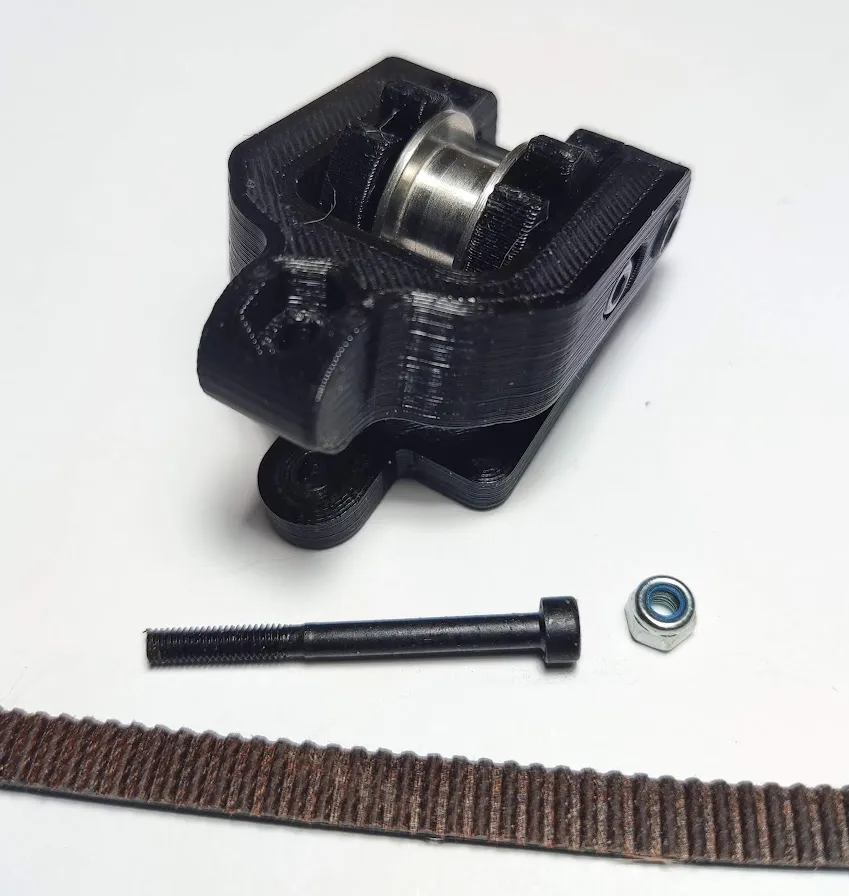
9º - You will end with something like this!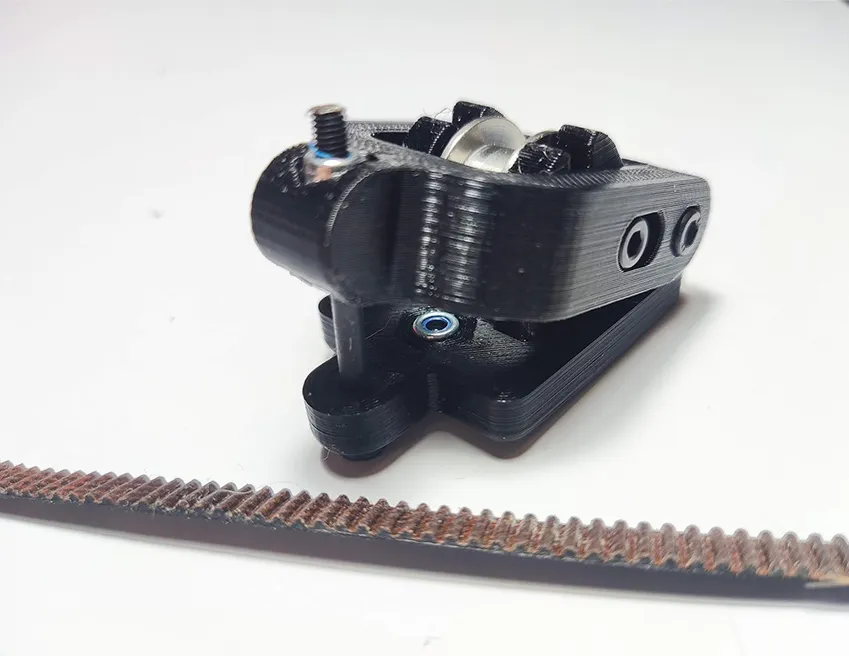
10º - Time to pass the Belt across our Tensioner. 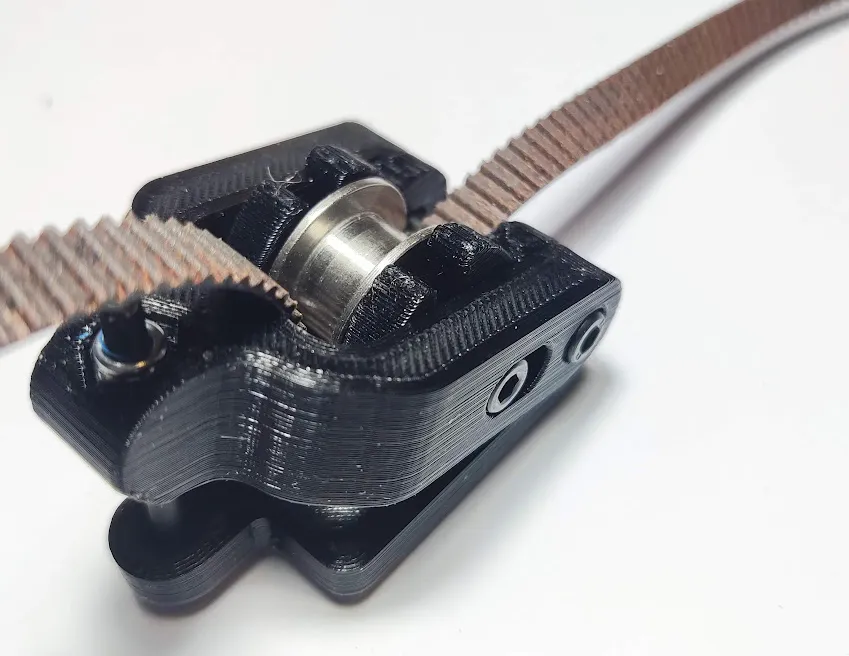
11º - Now pass the belt into the Bed-Holder Too, as shown in this image. Is easy in this step. 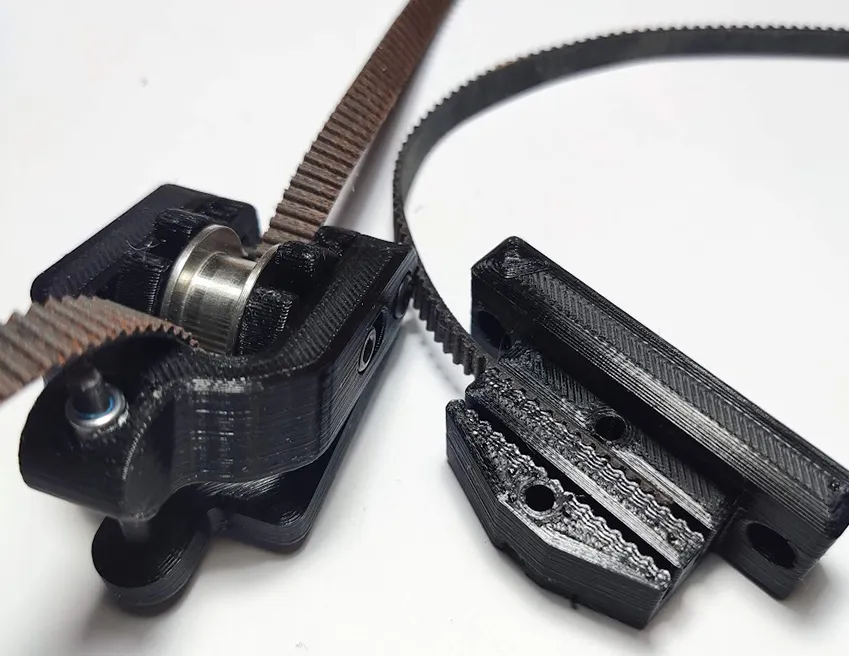
12º - Pass the rest of the gt2-belt across the motor and put it into the Bed Holder. You can now use 2x m3x10 bolts to screw the Bed-Holder to the Bed..
Optionally, you can put the Bed-Holder-Door to assure your GT2 BELT with 2 M3x18 and two hexnut or locknut.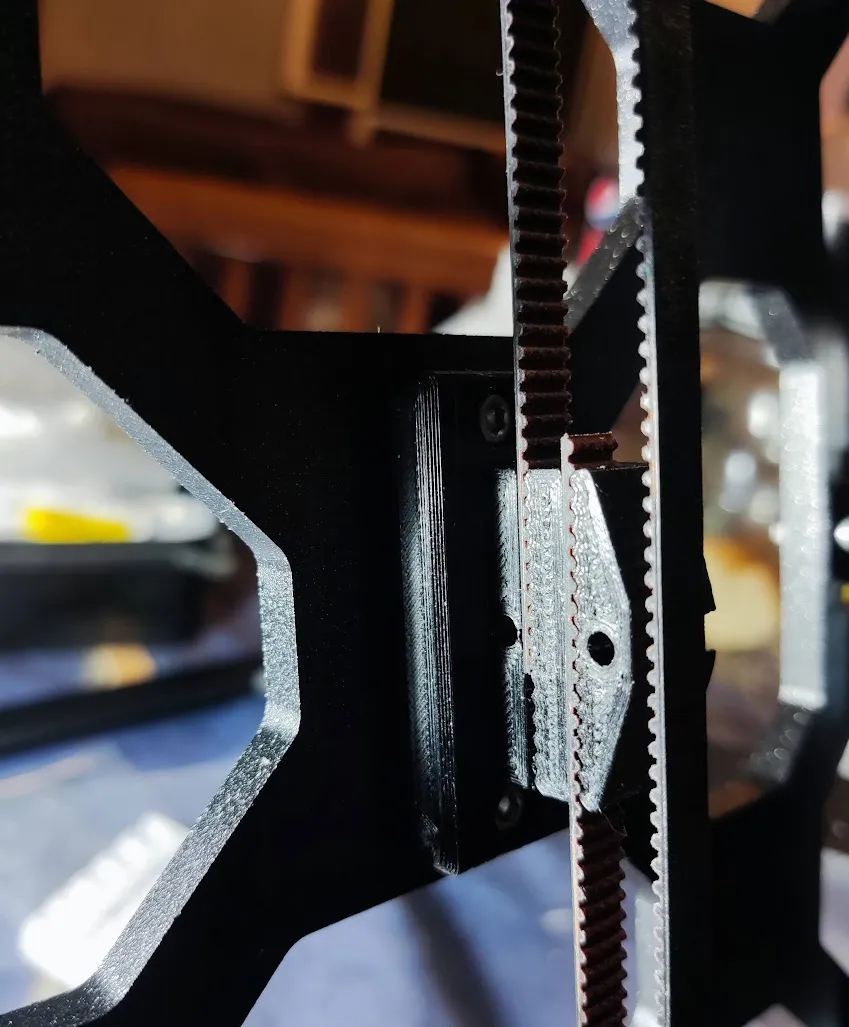
13º - You will end with a tensioner like this one. Only one bolt to add or rest tension to the Y-Axis. You can do it from the FRONT of the printer, even if the LCD screen is in his place :)
ENJOY!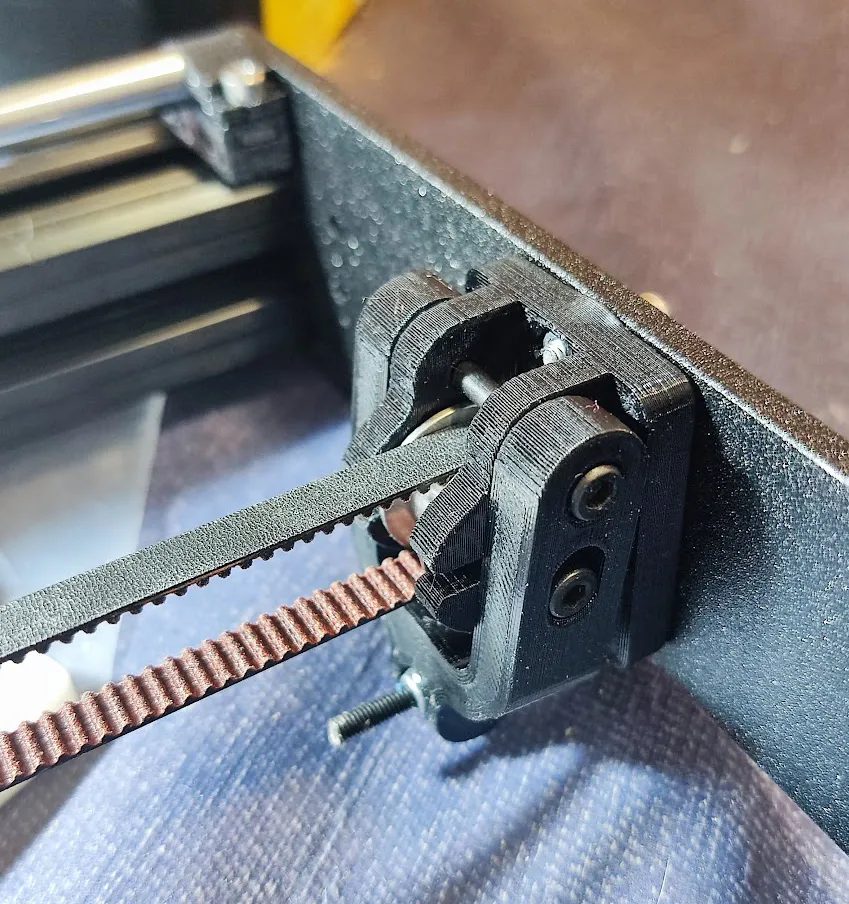
Boost Me (for free)
Boosting is Free and helps me a lot ! All My Anime Logos and Designs have STL parts to be used as you need. Please, consider give me a Boost to continue doing more !!!
License



Comment & Rating (2)